Multi-Function Gigabit Wireless-N Client Bridge Version 2.0
13
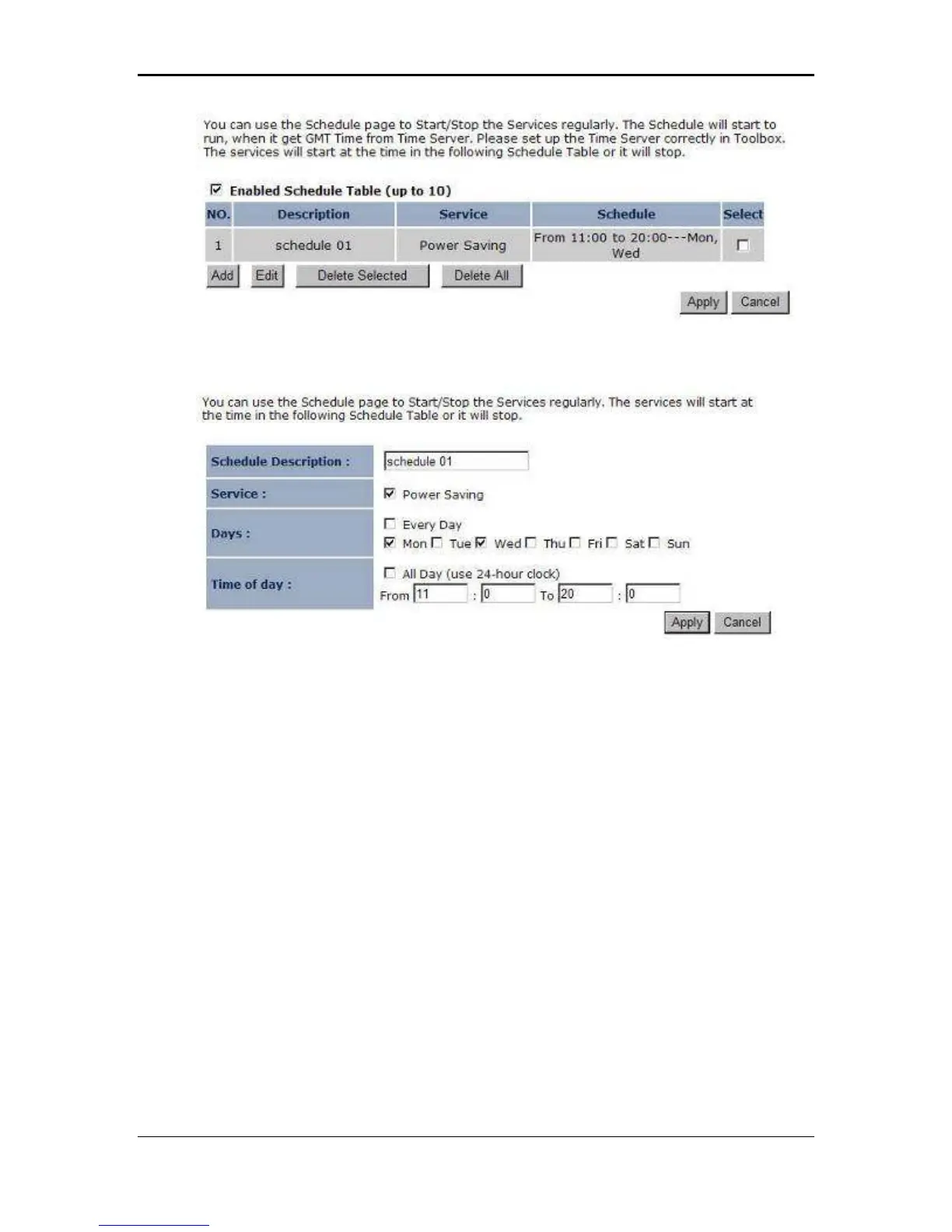
Click on the Add button to add a new schedule. .
Schedule Description: Specify a name for the schedule.
Service: Select a service.
Days: Select the days at which you would like the schedule to be effective.
Time of Day: Place a check in the All Day box if you would like the schedule to be
active for 24 hours. If you do not use the 24 hours option, you may specify a start
time and end time.
Click on the Apply button to add this schedule into the list.
3.2.3 Event Log
Click on the Event Log link on the navigation menu. The device automatically
records important events in its internal memory. Order records will be over-written by
the latest ones when it is out of internal memory.



 To Next Page