149
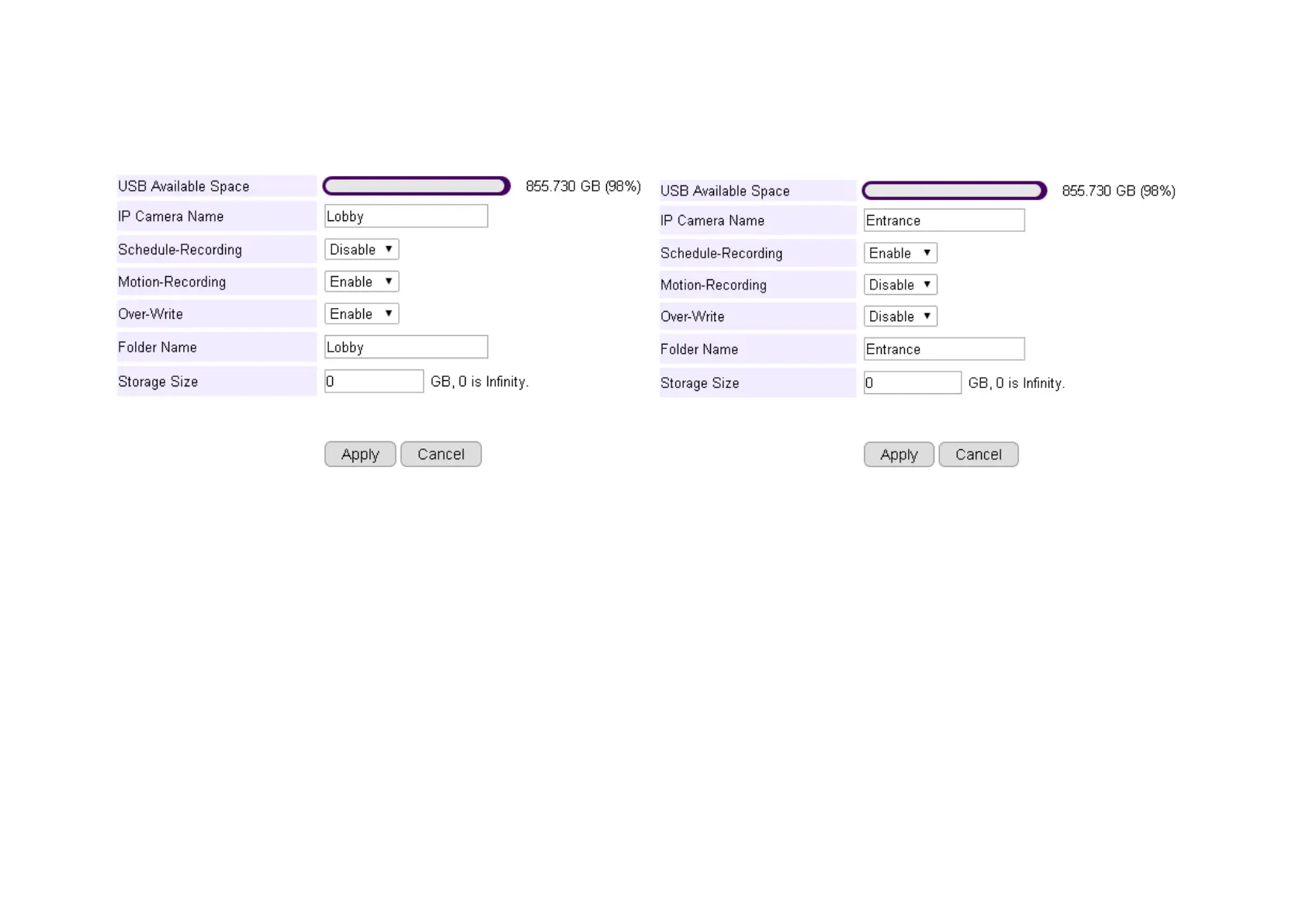
IP Camera Name: Lobby (use meaningful name for better identification)
Scheduled-Recording: Enable/Disable this type of recording
Motion-Recording: Enable/Disable this type of recording
Over-Write: Enable/Disable over-writing the old files when there’s no space for storing the new files
Folder Name: The name of the folder where the media files of this camera will be stored on the router storage.
Storage Size: put 0 if storage is unlimited.
Click Apply when done.



 To Next Page