53
5.6. Advanced Settings
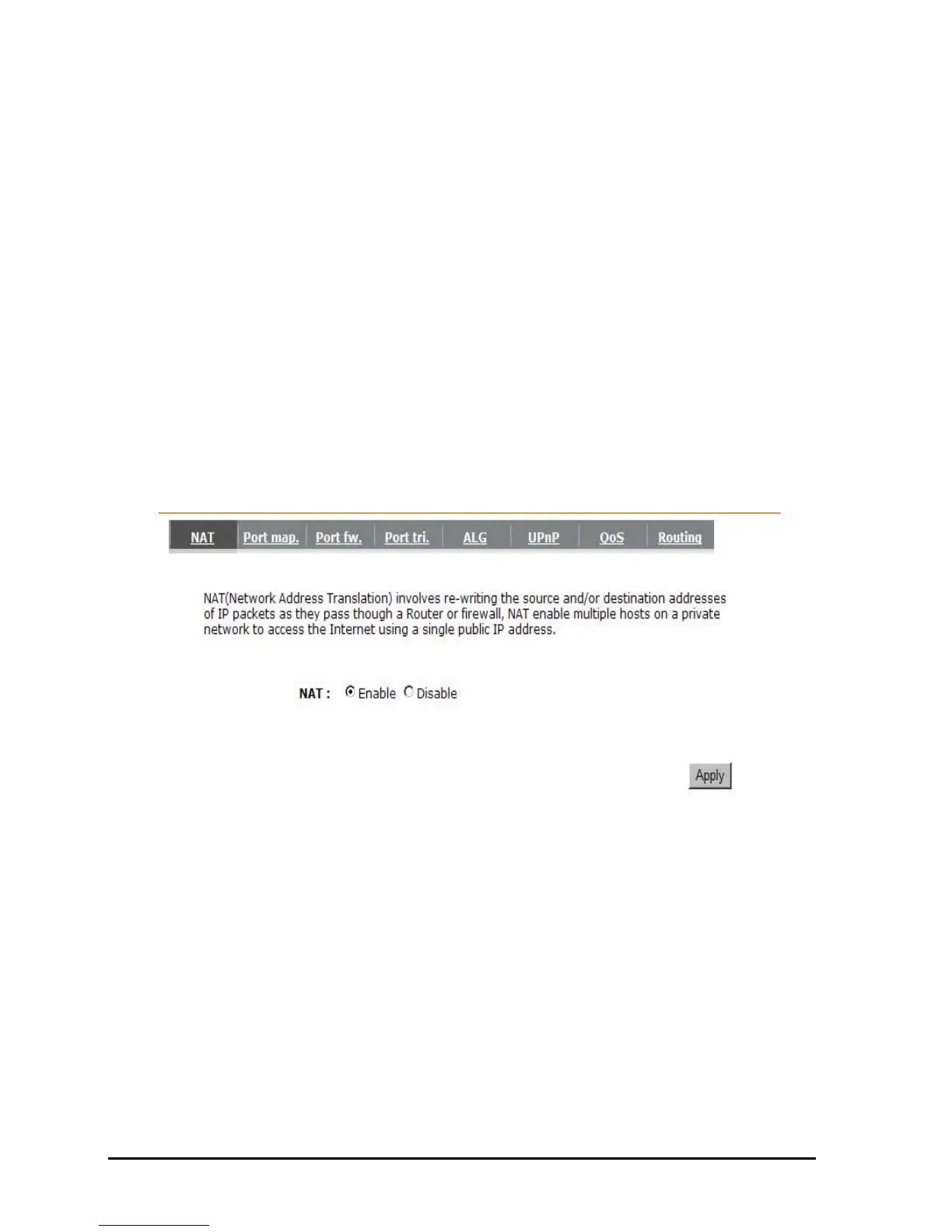
- Network Address Translation (NAT)
Network Address Translation (NAT) allows multiple users at your local site to access the
Internet through a single Public IP Address or multiple Public IP Addresses. NAT provides
Firewall protection from hacker attacks and has the flexibility to allow you to map Private IP
Addresses to Public IP Addresses for key services such as Websites and FTP. Select
Disable to disable the NAT function.
- Port Mapping
Port Mapping allows you to re-direct a particular range of service port numbers (from the
Internet / WAN Port) to a particular LAN IP address. It helps you to host servers behind the
router NAT firewall.



 To Next Page