HOW TO USE - SMART APP CONTROL
DOW NLOAD THE APP
Scan the QR code with your smartphone to download
the App. If the QR download fails, proceed as follows:
ANDROID SYSTEM:
◦
Go to Google Play Store
◦
Download and install the "SMART MASSOR" App
IOS IOS SYSTEM:
◦
Go to the App Store
◦
Download and install the "SMART MASSOR" App
BASIC OPERATIONS
Before use, moisten the skin of the cervical area with a
damp cloth, then apply the product to the neck.
TThe electrodes must adhere to the skin of the cervical
area in a symmetrical position.
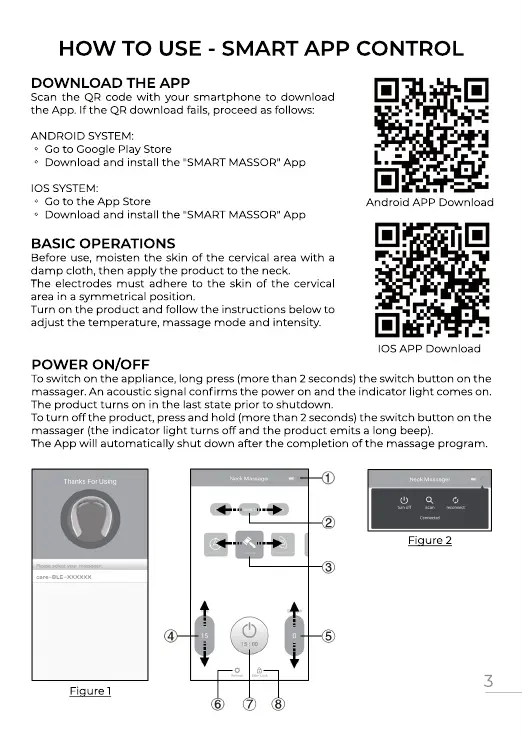
Turn on the product and follow the instructions below to
adjust the temperature, massage mode and intensity.
Android APP Download
IOS APP Download
POW ER ON/OFF
To switch on the appliance, long press (more than 2 seconds) the switch button on the
massager. An acoustic signal confirms the power on and the indicator light comes on.
The product turns on in the last state prior to shutdown.
To turn off the product, press and hold (more than 2 seconds) the switch button on the
massager (the indicator light turns off and the product emits a long beep).
TThe App will automatically shut down after the completion of the massage program.
3


 To Next Page
 Loading...