Copyright 2007 – Enseo, Inc.
20
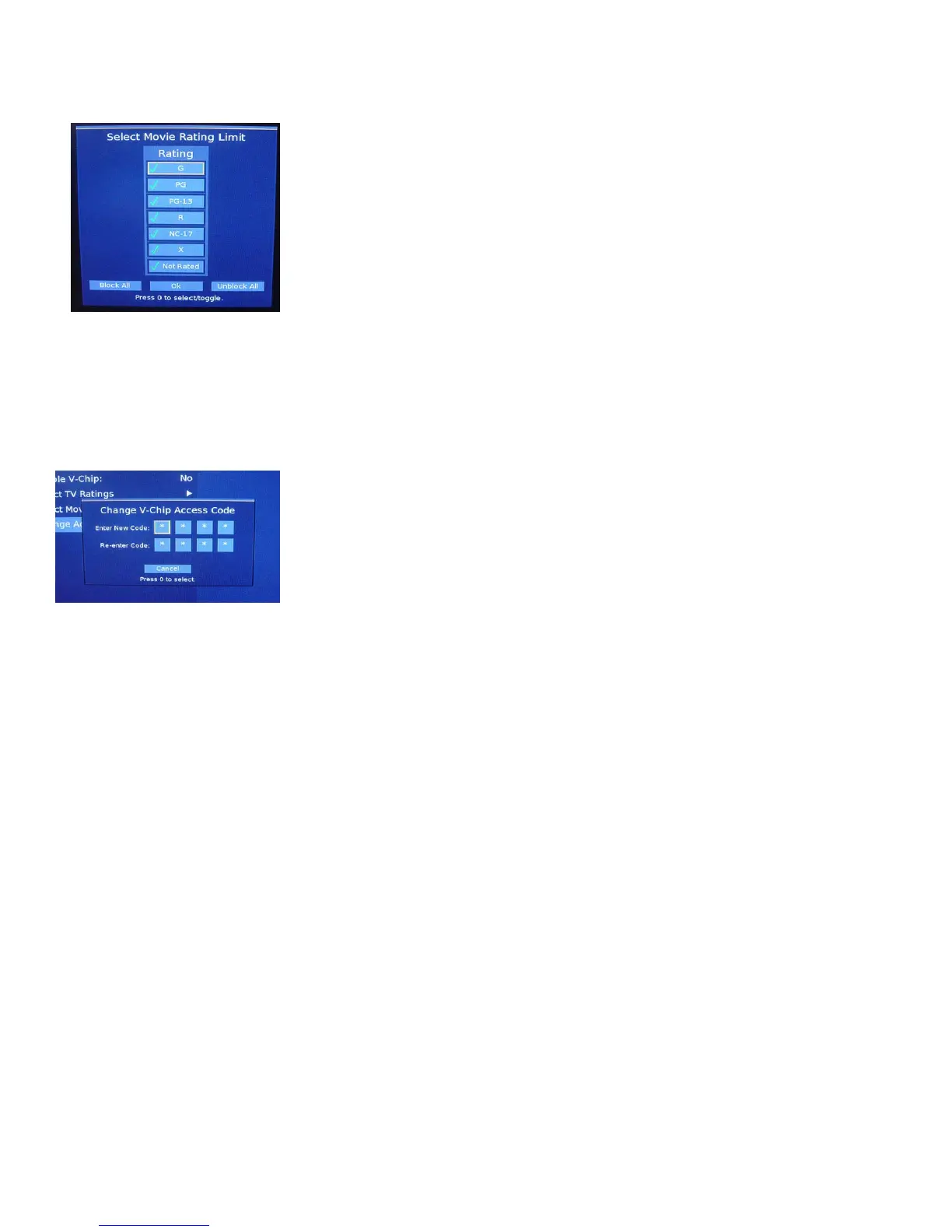
Select Movie Ratings
This menu allows for the authorization or exclusion of content based on
the
Movie Rating system.
G = Children and Family
PG = Parental Guidance Suggested
PG-13 = Parental Guidance – Special Guidance to children under 13
R = Restricted. No one under 17 without an adult
NC-17 = No children under 17
X = Adult content / Adults only
Not Rated = Some films are not rated and other content is beyond
NC-17 and withdrawn before rating..
Use the arrow keys to highlight a box in the matrix and then use the 0
button on the remote is used to toggle between selections. When
finished, move to the OK box and press 0 to save settings and exit.
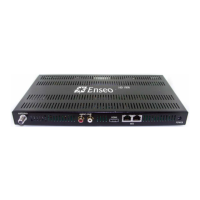
Change Access Code
The V-Chip Access Code can be set through the set up process using
this function.
Image 20 – V-Chip Movie Ratings
Image 21 – V-Chip Reset Function



 To Next Page