Copyright 2007 – Enseo, Inc.
6
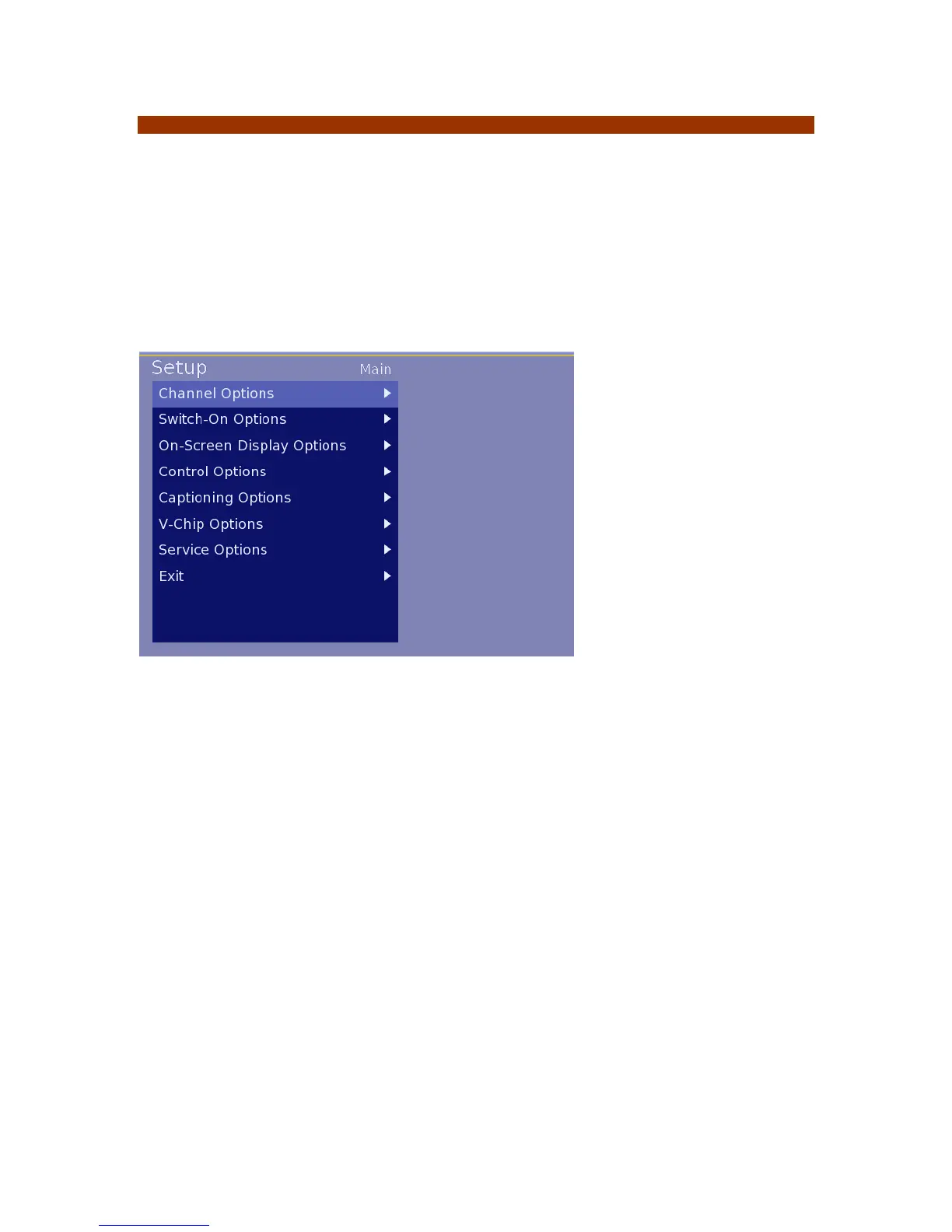
Stand-Alone Set Up Menu
The ICS-SP30 set up process includes a sequence of numbers pressed on the Sony remote to
access the set up menus. With the display and ICS-SP30 powered on press the following in
sequence.
(note: when pressing buttons, press the buttons to be sure the system receives the code.
Setup Menu code: Up Right Left Mute
If a button is pressed in error, press the Down arrow to clear the code entries. In the lodging
environment a different remote or function may be enabled to provide additional security.
Navigating Menus
Most menus and submenus are navigated using the UP / DOWN / RIGHT / LEFT arrows on the
remote control. To enter a menu, press the RIGHT button.
To enter an item in a sub menu, the ENTER button can be pressed or the LEFT arrow button can
be pressed to exit a entry field and store the setting.
Some sub-menus require specific characters and onscreen instructions will be provided in such
cases.
Image 1 – Setup Menu



 To Next Page