page 5
Quick Start Guide
Navy DVD Player
Enseo, Inc. © 2011 All Rights Reserved
930-9000-003 v1.1
WARNING - Never attempt to disassemble or modify this product to avoid re, shock or failure.
Inputs and specications are subject to change without advance notice.
Installation:
1. Unpack the Navy DVD player from the package.
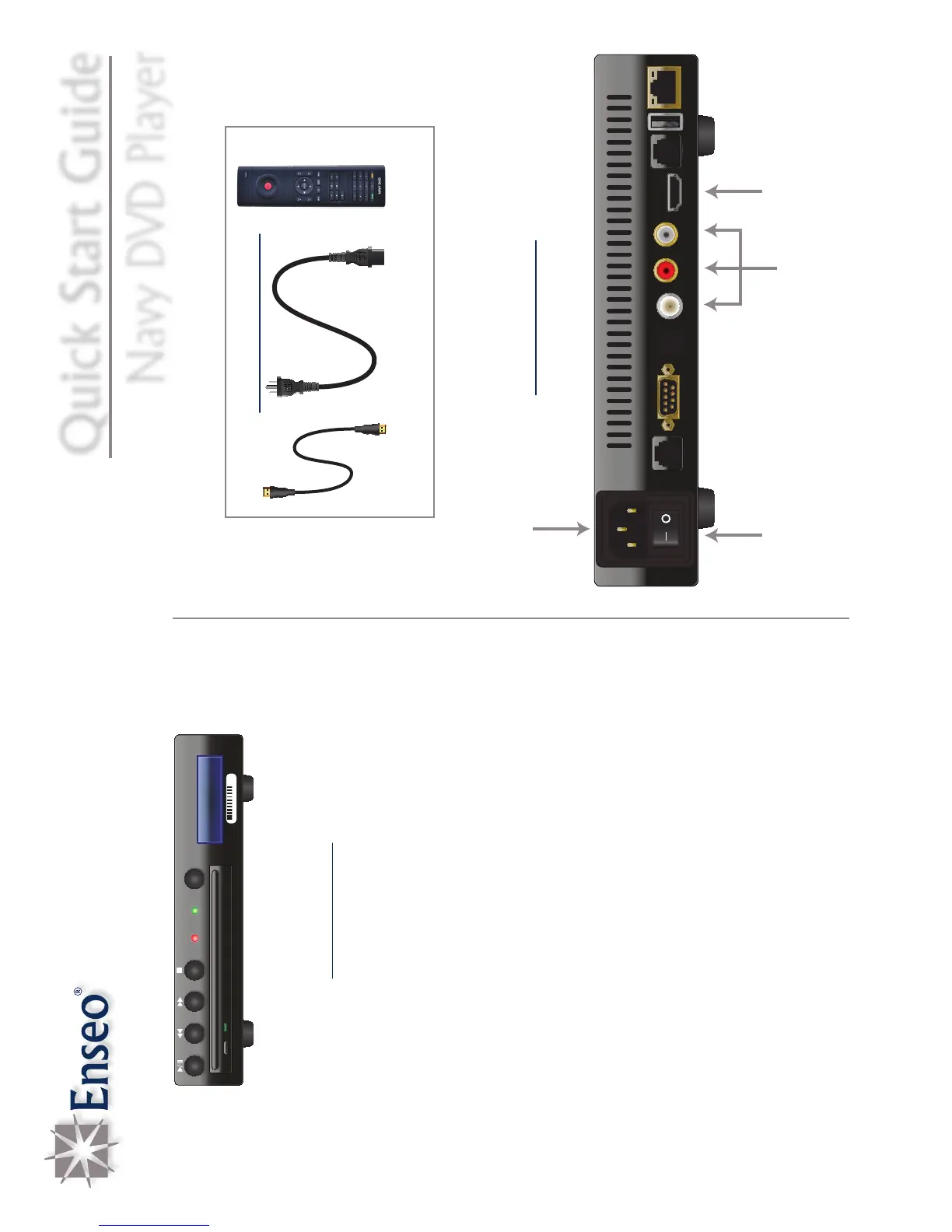
2. Connect the power cable from a power outlet to the power
input on the Navy DVD player.
3. Connect the HDMI cable from the Navy DVD player HDMI port
to the HDMI source on the television.*
4. Turn on the power switch located on the back of the Navy
DVD player.
5. Tune the television to the source coming from the Navy DVD
player.
6. Wait for the Navy DVD player to boot (roughly a minute); the
LED will be orange during this time. The LED will turn green
when nished.
7. Load a Navy DVD into the drive slot.
8. The Navy DVD player will now start playing the media on the
connected audio and video outputs.
*Note: A composite cable may be used instead of the supplied HDMI cable for
the audio and video source.
Connections:
HDMI Cable
220-0270-001
AC Power Cable
705-0002-001
DVD Remote
700-0015-001
Supplied Accessories
20 104 41 8
PW R
AUX
MAINT
PORT
DIGITAL A U D I O
OUT
VIDEO
OUT
AUDIO OUT
HDMI
DISPLAY
CONTROL
USB
NETWORK
Power Input
Power Switch HDMI Input
Composite
Inputs


 To Next Page