5
Wireless (ENSO BLUETH) connection
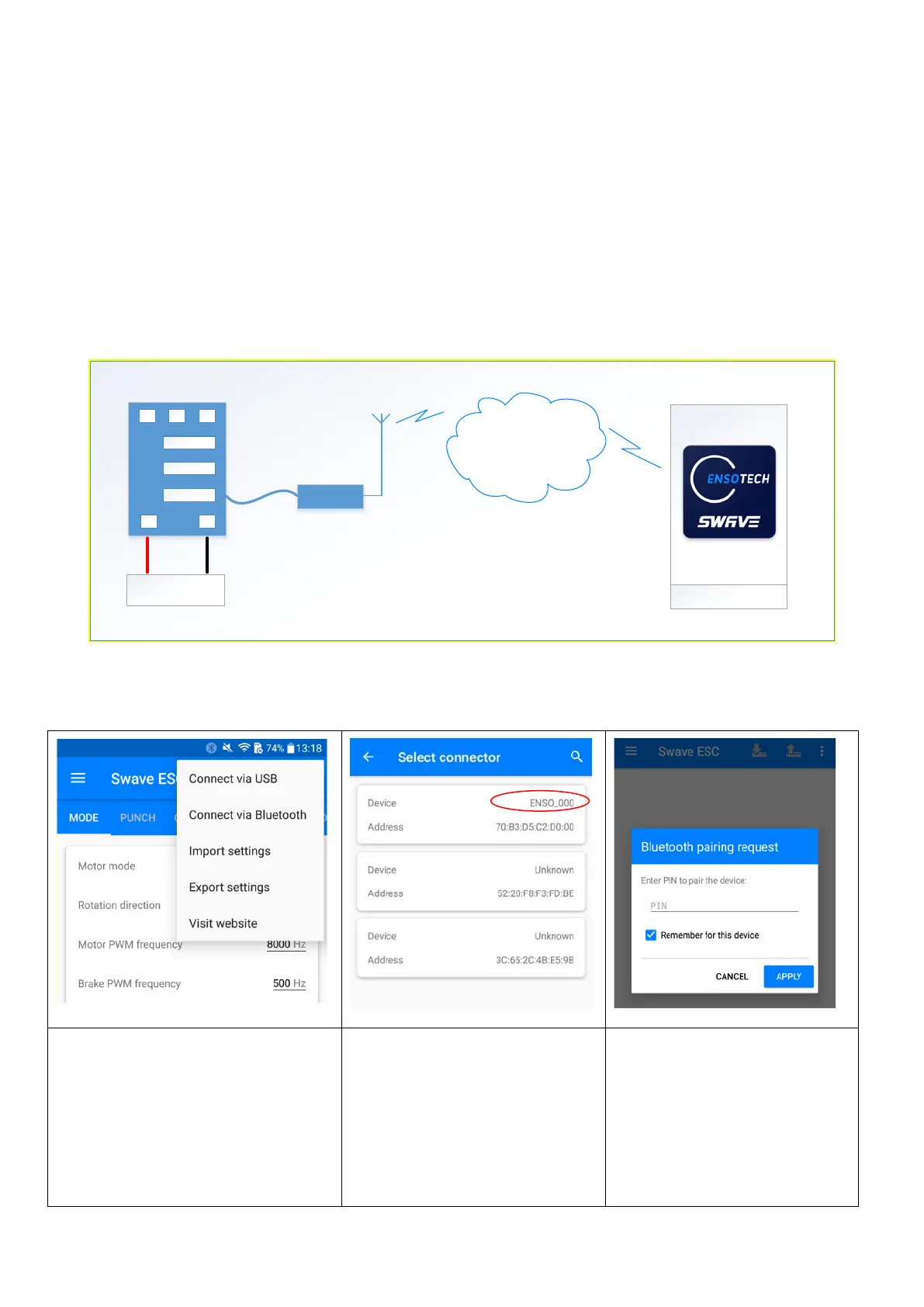
ENSO BLUETH is a wireless adapter for settings management, firmware updating, and real-time observing of the
ESC parameters. It uses Low Energy Bluetooth standard (4.0 version) for communication with Swave APP. Every
device has a personal name and pin-code. Radio channel between the device and the application is protected by
strong encryption, to exclude connection to your device without six-digit pin code. This code can be stored in your app
after first linking and can be applied automatically when you would like to connect to your ENSO BLUETH device.
** The response time of telemetry real-time observing depends on your phone processing power, cache memory
space, and the wireless transmission speed and signal performance. Ensotech do not guarantee and not responsible
to support every devices.
A B C
+ -
Hall
Th rottle
Android
ENSO BLUETH
Battery
Smartphone
Bluetooth
Low
Energy
YOU SHOULD CONFIRM ALL REQUIRED PERMISSIONS TO USE WIRELESS MODE
Select Bluetooth connection from
context menu at the right corner
If you are doing it the first time, the APP will
require location detection permission, this is
necessary for using the Bluetooth module of
your phone. This is an android feature.
Select your device name from list
Device name listed on the label
inside the package.
Enter six-digit pairing pin-code
Pin Code listed on the label inside
the package.
If you lost the pin code, please
contact Ensotech with provided
your device name


 To Next Page