7
Settings management
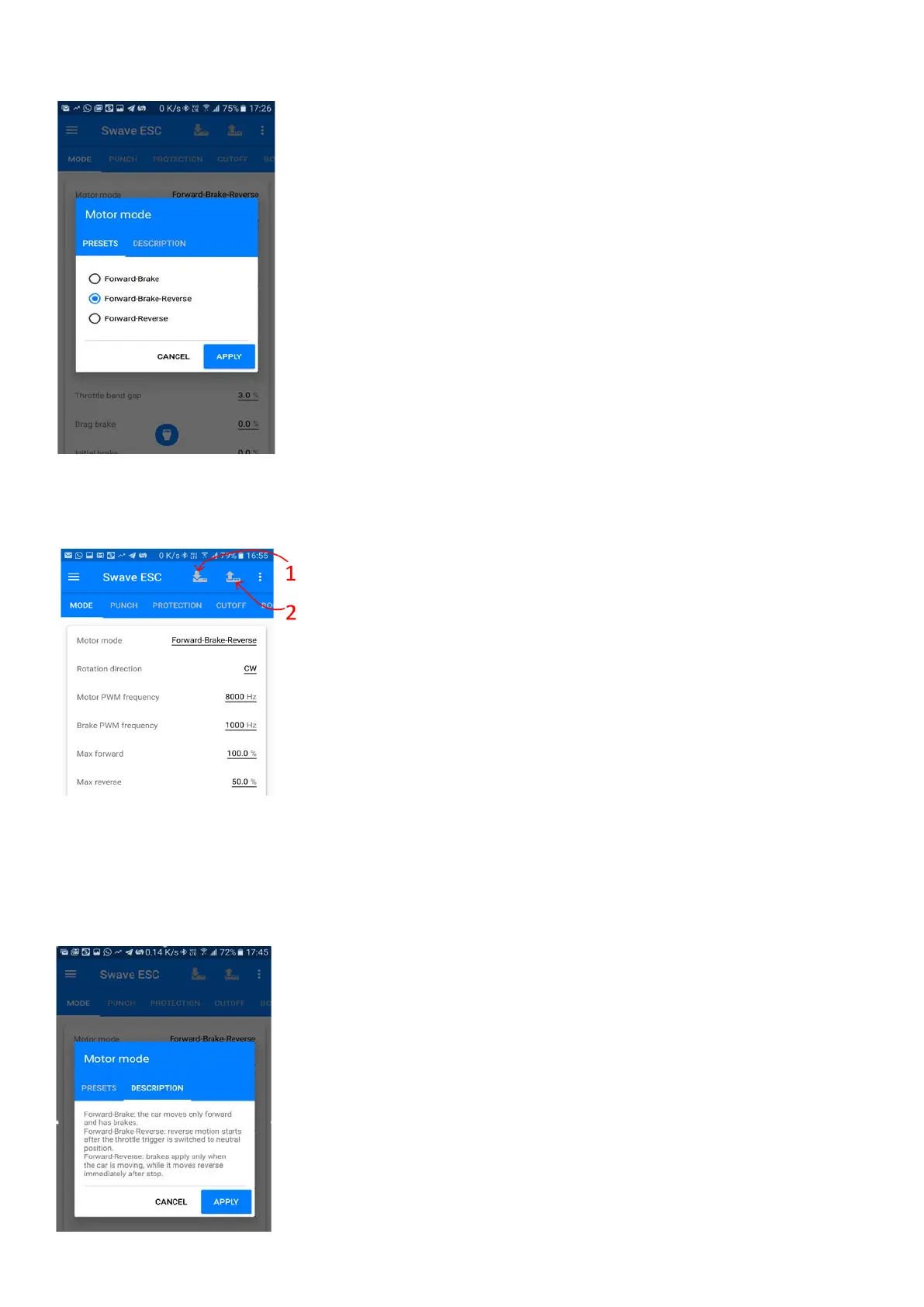
Now you can start to manage the settings, press “APPLY” to accept changes
After you complete managing the settings, you need to
settings to the ESC, so click the icon on the top left comer. After uploading
process, the ESC will perform one beep and turn on a blue LED.
1. This is a resume key if you need to download the ESC current
settings to the app
2. Upload new settings to the ESC
*During upload or download the setting from the ESC, the phone power must be always present, keep the
screen always on without entering sleep mode either power saving mode, otherwise ESC can be damaged!
*If you are using Bluetooth connection DO NOT WALK WITH THE PHONE! Leave it near the ESC.
Each parameter has a detailed description


 To Next Page