EasyManua.ls Logo

Entel HT800 series - User Manual

Default Icon
2 pages
Print Icon
To Next Page IconTo Next Page
Loading...
EA12
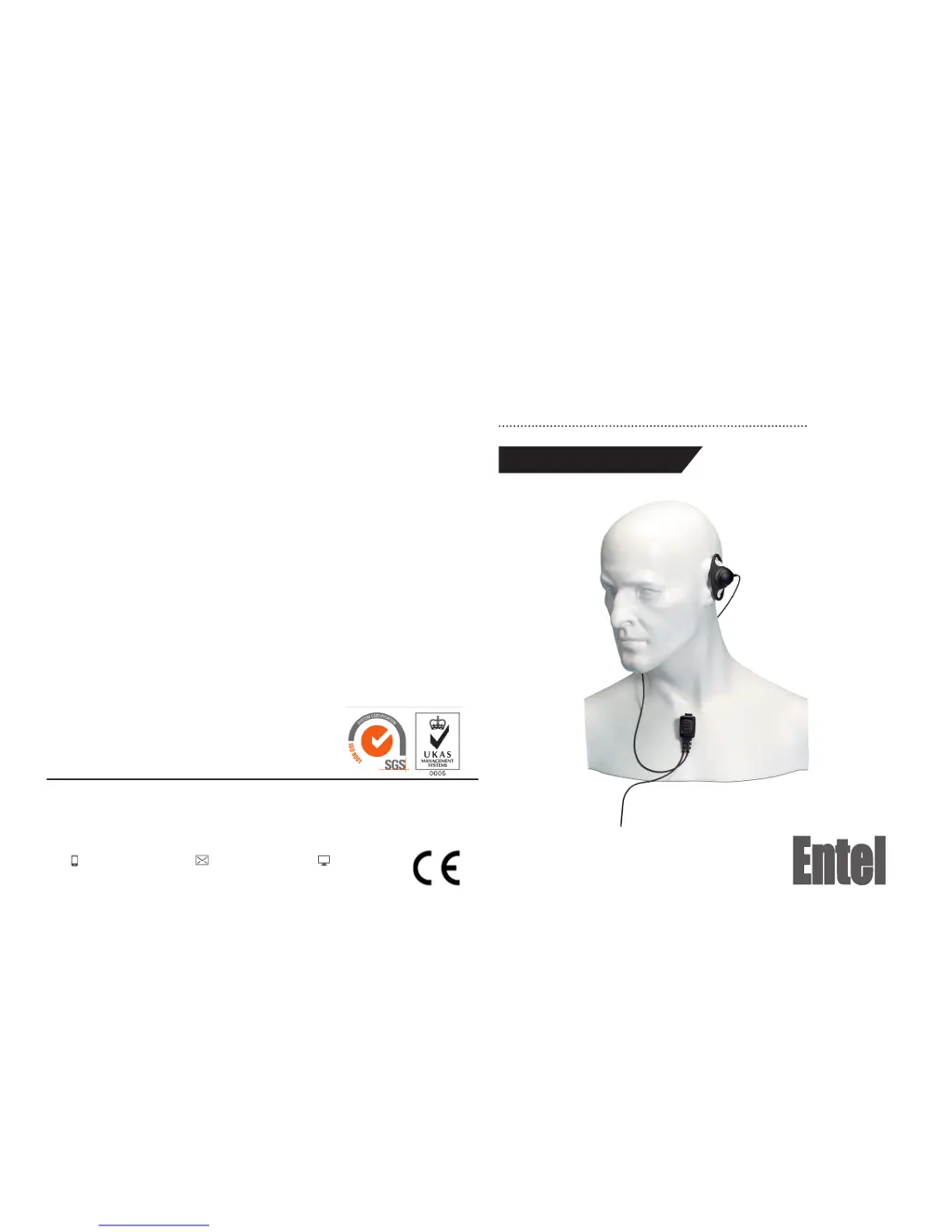
Quick Start User Guide
EARPIECE MICROPHONE WITH IN-LINE PTT
Designed in the United Kingdom
Contact
For more information about our products please contact us:
+44 (0)20 8236 0032
info@entel.co.uk
entel.co.uk
All Rights Reserved. Copyright Entel UK Ltd.
V1.0

Questions and Answers

  • M
    Michael MaysAug 9, 2025
    What to do if I cannot change any function on my Entel Transceiver?
    • L
      Louis MullinsAug 9, 2025
      If you cannot change any function on your Entel Transceiver, it is likely that the key lock is switched on. Turn the key lock off to regain control of the functions.
  • M
    mpruittAug 14, 2025
    Why is my Entel Transceiver not switching on?
    • Y
      youngsonyaAug 14, 2025
      Your Entel Transceiver might not be switching on because the battery is exhausted and needs charging. You can either charge the battery pack or replace it with a fully charged one.
  • K
    Kara PerkinsAug 19, 2025
    What to do if my Entel Transceiver transmits without pressing PTT button?
    • T
      Tiffany MooreAug 19, 2025
      If your Entel Transceiver transmits without pressing the PTT button, it's likely that VOX has been enabled. Press the assigned VOX button to switch VOX off.
  • S
    Sharon ClarkAug 25, 2025
    What to do if I am receiving calls from other users outside my Entel radio system?
    • J
      Jeremiah SmithAug 25, 2025
      If you're receiving calls from users outside your Entel radio system, there may be congestion on the channel. Contact your dealer for a new frequency or sub tone assignment.
  • J
    Jessica JohnstonAug 29, 2025
    How to start scan on Entel Transceiver if the scan key does not work?
    • H
      Heather MontgomeryAug 29, 2025
      If the scan key on your Entel Transceiver does not start the scan, it may be because no channels are memorized. Enter the desired channels into scan memory.
  • J
    james69Sep 3, 2025
    What to do if LED on CCA640 & CWC640 Entel does not illuminate when charging?
    • K
      Keith GonzalezSep 3, 2025
      If the LED on CCA640 & CWC640 does not illuminate when charging, clean contacts with dry clean cloth. The cause may be dirty terminal contact on CCA640.

Entel HT800 series Specifications

General IconGeneral
Battery TypeLi-Ion
Operating Temperature-20°C to +55°C
Channel Spacing12.5 / 25 kHz
Frequency RangeVHF: 136-174 MHz, UHF: 400-470 MHz
Power Output5W (VHF) / 4W (UHF)
Output Power5W (VHF) / 4W (UHF)

Related product manuals