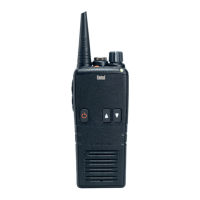
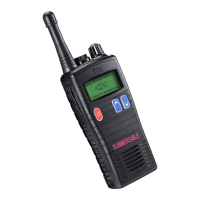
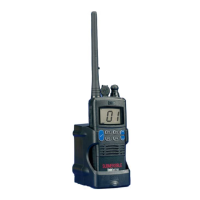
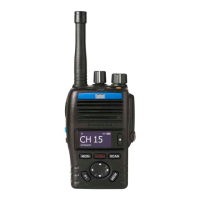
The Entel HT649 GMDSS is a MED certified survival craft radio, designed for use in extreme and harsh environments, and meets the strict environmental requirements for GMDSS radios. It carries the essential Wheel Mark logo, signifying its compliance with marine equipment directives.
Function Description:
The HT649 GMDSS radio serves as a vital communication tool for survival craft. Its primary function is to enable voice communication on VHF marine channels, crucial for distress, urgency, and safety communications, as well as general operational use. The radio is designed for ease of use in emergency situations, featuring intuitive controls for power, channel selection, volume, and transmission.
Important Technical Specifications:
- Frequency Range:
- TX: 155MHz-161.450MHz
- RX: 155MHz-163.425MHz
- Power Output: 1W
- Compliance:
- MED certified (Marine Electronics Directive)
- Complies with European Council Directive 96/98/EC (amended by 2014/90/EU) and the Merchant Shipping (Marine Equipment) Regulation 2016.
- Standards: EN 300 225: December, 2015 v1.5.1; EN 301 843-2: November, 2017 v2.2.1; EN 60945: October, 2002, Edition 4; IEC 60945/Corrigendum 1: April, 2008, Edition 4.
- IMO Resolutions: A.694 (17): 1991; A.809 (19): 1995.
- ITU-R M.489-2: October, 1995.
- MSC Resolutions: 149 (77): June, 2003; 36(63): May, 1994; 97(73): December, 2000.
- Certificates:
- EC type-examination certificate (Module-B) No. 232120001/AA/00.
- Product quality system certificate (Module-D) No. P133.
- UK type-examination certificate (Module-B) No. 232380005/AA/00.
- Product quality system certificate (Module-D) No. P133 MER.
- Notified Body: Kiwa Nederland B.V. (0063) and Kiwa Ltd. (0558).
Usage Features:
The HT649 GMDSS radio is designed for straightforward operation, even in stressful situations.
- Power On/Off: Press and hold the On/Off button (1) to power the radio on or off. A fanfare tone indicates successful power-on, and the radio enters standby mode, indicated by an Amber LED flashing every 5 seconds.
- Channel Selection: Use the Channel Up/Down buttons (3) to select the desired working channel.
- Volume Control: The Volume Control (9) allows adjustment of the audio output level.
- Transmission (PTT): To transmit, press the Push To Talk (PTT) button (4) located on the left side of the radio. The LED indicator (8) will illuminate red, confirming transmission. For optimal speech quality, speak directly into the microphone (10) at approximately 4cm distance from your mouth. Release the PTT button to listen.
- Monitoring: The MON button (latches squelch open) allows monitoring of the channel for activity.
- Scan Function: The SCAN button starts/stops scanning channels added to the scan list.
- Memory Function: The MEM button adds/removes the currently selected channel to/from the scan list.
- Channel 16 Quick Access: A dedicated '16' button toggles between the currently selected channel and channel 16, which is the international distress, urgency, and safety channel.
- Backlight and Keypad Lock: A short press on button (6) toggles the LCD and keypad backlight on/off. A long press toggles the keypad lock on/off.
- LED Indicator (8): Provides visual feedback on the radio's status:
- Red steady: Transmitting
- Red flashing slowly: Battery needs recharging
- Green steady: Receiving
- Amber pulsing: In standby mode
- Accessories: The radio supports external accessories. These are attached by unscrewing a locking screw, plugging the accessory into the socket, and then tightening the screw finger-tight. The accessory socket cover must be re-fitted when no accessory is in use to maintain the radio's submersible rating.
- Battery Types: The radio can use a primary non-rechargeable Lithium battery (CLB750G, yellow) for emergency use, or a secondary Li-ion rechargeable battery pack (CNB750E, black).
Maintenance Features:
- Battery Management:
- Primary Battery (CLB750G): This is a single-use, non-rechargeable battery. It comes with a security seal that must only be removed before use. An expiry date is printed on the battery, which should be regularly checked and the battery replaced as required. Out-of-date batteries must be disposed of safely.
- Secondary Battery (CNB750E): This Li-ion battery is rechargeable. To charge, connect the AC adaptor or 12V charging lead to the charger pod, then insert the radio (with or without the battery attached) into the pod. The charger LED changes from red (charging) to green (fully charged). A fully discharged battery takes approximately 6 hours to recharge.
- Battery Precautions: Do not recharge a fully charged battery pack. Remove the battery from the charger once charging is complete. Ensure the radio is turned off before placing it in the charger. Only use Entel branded battery packs and chargers. Do not short the battery terminals or dispose of the battery in a fire. Do not charge wet radios or battery packs.
- Battery Safety: Users are warned not to disassemble or modify the battery in any way, as this can damage the safety circuit and lead to extreme heat, smoke, rupture, and flames.
- Repair & Maintenance: All repair and maintenance of this product must be carried out by Entel. Any damage to the anti-tamper seal will invalidate the product approval. For operational difficulties, users should contact their Entel Dealer for support.
- Antenna Attachment/Removal: The antenna is attached by carefully aligning it with the socket and screwing it clockwise until seated firmly, ensuring the accessory cover's rubber ring is between the antenna and the radio. It is removed by unscrewing anti-clockwise.
- Battery Pack Attachment/Removal: The battery pack is attached by locating its pegs into the radio's slots and pressing the top of the battery against the radio, then securing it by tightening a screw clockwise by hand (without overtightening). It is removed by unscrewing the locking screw anti-clockwise and pulling the battery away from the top of the radio.

 Need help?
 General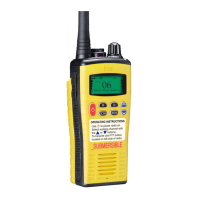

 To Next Page