Quick Start User Guide V3.0
INTRODUCTION
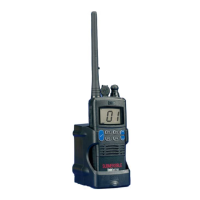
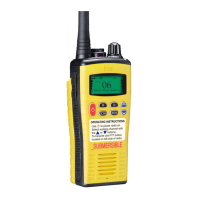
The HT649 GMDSS is a MED certied survival craft radio that carries the
essential Wheel Mark logo. It’s designed to function in the most extreme and
harshest of environments and meets the strict environmental requirements
for GMDSS radios.
To meet your exact requirements the radio may have been customised
by your Entel dealer. These features will be explained in a separate guide
issued by the dealer.
PACKING LIST
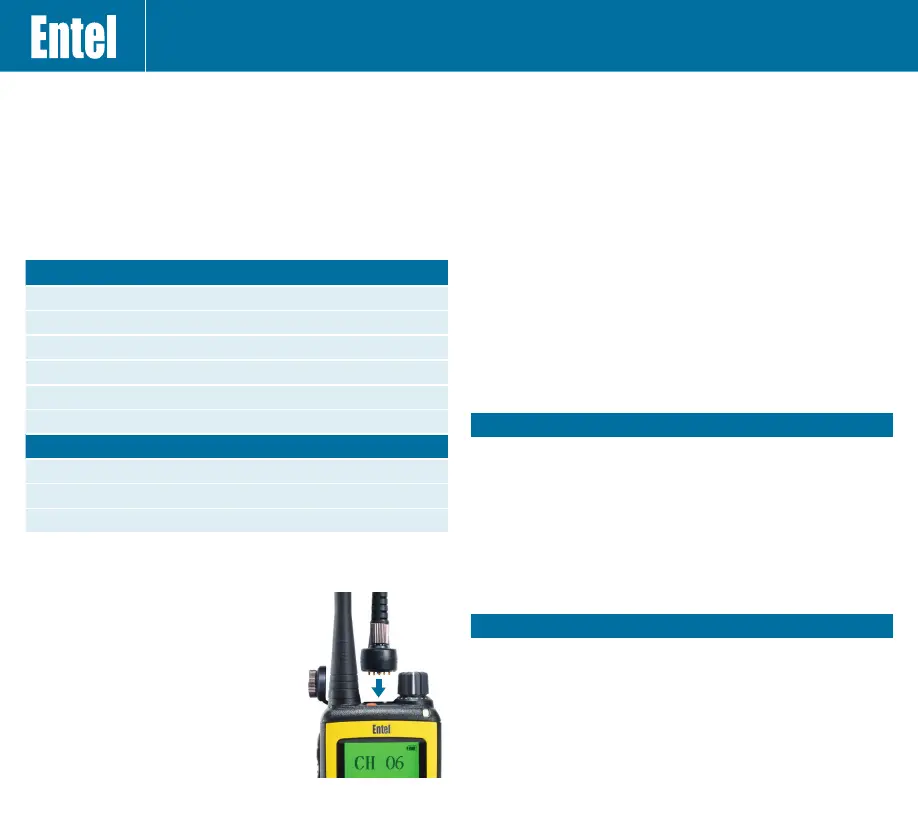
Attaching and removing accessories
1. To attach an accessory, remove the
accessory cover by unscrewing the locking
screw anti-clockwise (leave the cover
attached or store in a safe place).
2. Plug the accessory into the socket, then
carefully tighten the locking screw clockwise
until nger tight (do not overtighten or use
any implement)
3. To remove an accessory, unscrew the
locking screw of the accessory by hand in
an anti-clockwise direction. Ensure you re-t
the accessory socket cover (the radio is not
submersible without the socket covered).
BATTERY INFORMATION
Primary battery pack - CLB750G (Yellow)
1. This is a non-rechargeable, single use Lithium battery
2. The battery is supplied with a security seal that must only be removed
before use
3. An expiry date is printed on the battery. Regularly check the date of your
batteries and replace as required. Immediately, and safely, dispose of any
out-of-date batteries.
Charging the CNB750E secondary battery pack (Black)
1. Connect the AC adaptor or 12V charging lead to the charger pod
and plug in
2. Turn the radio off and insert the battery pack into the charger pod, either
with or without the radio attached. The charger LED status light changes
to red and charging begins
3. When charging is complete, the charger status LED changes from red to
green (a fully discharged battery pack will take approximately 6 hours to
recharge)
For battery care information visit: www.entel.co.uk/battery_care
CAUTION
BATTERY PACK PRECAUTIONS
• Do not recharge the battery pack if it is already fully charged. Doing so
may reduce the life of the battery pack
• After charging is complete, remove the battery from the charger
• Please ensure that the radio is turned off before placing it in the charger
and never switch a radio on whilst in the charger
• Only use Entel branded battery packs and chargers
• Do not short the battery terminals or dispose of the battery in a re
• Do not charge the radio and/or battery pack if they are wet
DANGER
DO NOT DISASSEMBLE OR MODIFY THE BATTERY IN ANY WAY!
Your Entel battery pack incorporates a safety circuit to avoid danger, if the
safety circuit is damaged or bypassed, or the battery cells are damaged
directly, they may generate extreme heat, smoke, rupture and emit ames.
REPAIR & MAINTENANCE
Repair and maintenance of this product can only be carried out by Entel. Any
damage to the anti-tamper seal will invalidate the product approval. Should
you have any difculties in operating this product please contact your Entel
Dealer for support.
PACKAGE 1
HT649 VHF radio
Primary battery for Emergency use only
Spring loaded belt clip
High efciency antenna
Landyard
Quick start user guide
PACKAGE 2 AS PACKAGE 1 PLUS
Li-ion rechargeable battery pack
Drop in charger
Bulkhead screw spacer kit


 To Next Page
 Loading...