EasyManua.ls Logo

Enthermics EC1260BL - User Manual

Enthermics EC1260BL
30 pages
Print Icon
To Next Page IconTo Next Page
Loading...
MN-28646 • Rev 4 (03/18)
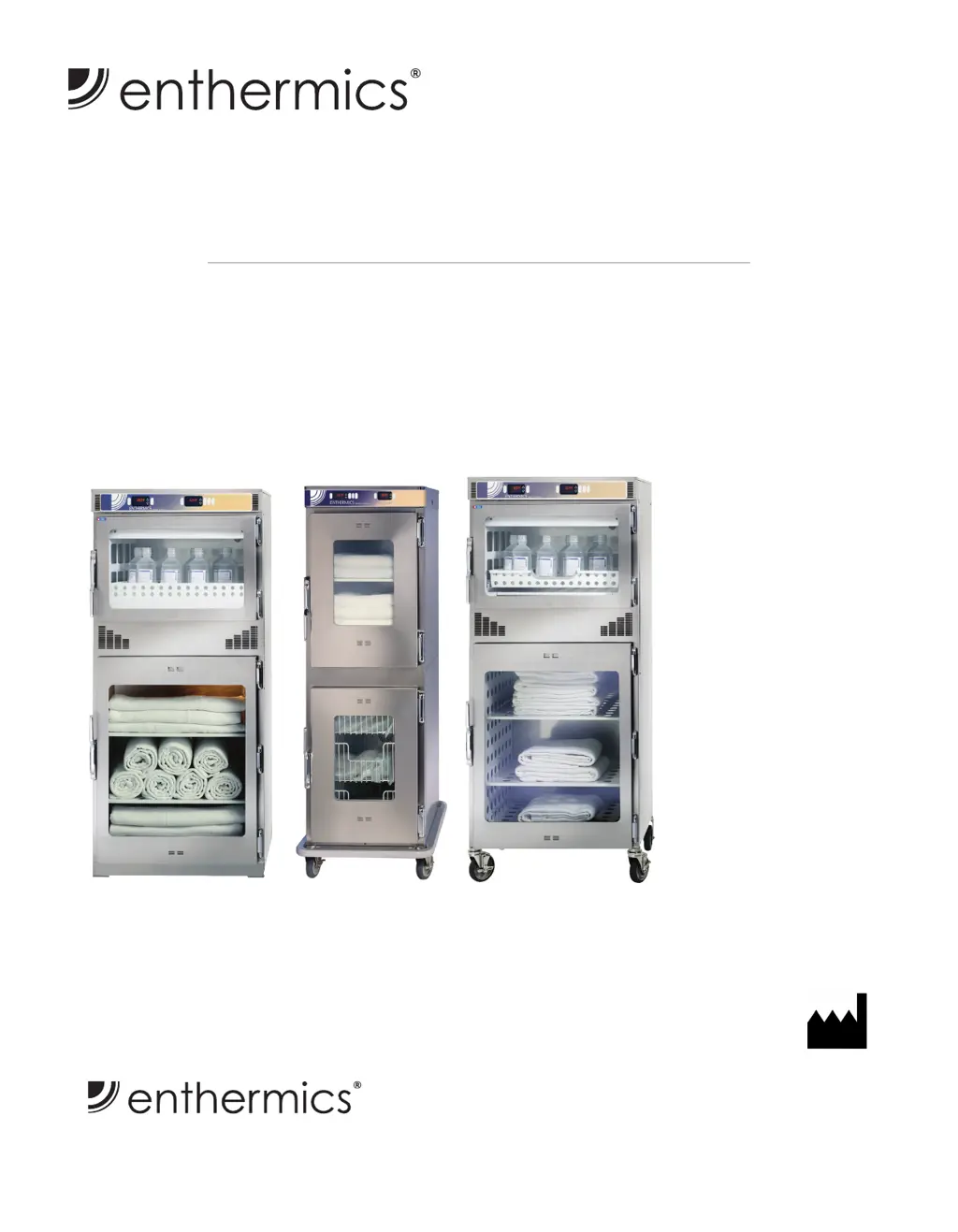
EC1260BL
EC1540BL
EC1730BL
120V
EC1540BL
EC1730BL
EC1260BL
Enthermics Medical Systems
An ISO 13485:2003 certified company
W164 N9221 Water St
|
Menomonee Falls WI 53051
Tel 262-251-8356
|
800-TO-B-WARM
generalinfo@enthermics.com
www.enthermics.com
Printed in the U.S.A. Specifications are subject to change without notice.
Made in the U.S.A.
Owner’s Manual
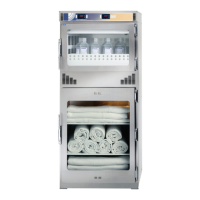
Combination Warming Cabinet

Questions and Answers

  • Y
    yflowersAug 8, 2025
    What to do if the door has been open for too long on my Enthermics Food Warmer?
    • M
      mark22Aug 8, 2025
      If the door of your Enthermics Food Warmer has been open for more than 3 minutes, make sure to close it. Also, verify that the door switch is working correctly. If it's not, you may need to replace the door switch.
  • M
    Michael BerryAug 12, 2025
    Why is my Enthermics Food Warmer showing 'Over Temperature'?
    • R
      Raymond BookerAug 12, 2025
      If your Enthermics Food Warmer displays an 'Over Temperature' message, first check if the compartment is overloaded. If it is, redistribute the inventory, ensuring not to exceed the insert's height. Additionally, measure the resistance of the sensor with an ohmmeter and test it at 32°F (0°C) in ice water; the reading should be 100 ohms. If it deviates by +/- 10, replace the sensor. Inspect the wiring for any damage and ensure secure connections at the controller and terminal block. If the issue persists, the relay may be defective and need replacement. If the error continues after these steps, further assistance is needed.
  • C
    Cory BarryAug 16, 2025
    What to do if my Enthermics Food Warmer displays 'Hardware is over temperature'?
    • M
      Melissa WallsAug 16, 2025
      If your Enthermics Food Warmer displays 'Hardware is over temperature', inspect the connections and condition of the high-limit bimetal thermostat and the fan switch (for fluid warmers only), adjusting as needed. Ensure the compartment fan motor is running (fluid warmers only). The air movement from this fan should move the safety sail switch to the closed position; adjust the fan or replace the motor if necessary. If the error continues, further assistance is needed.
  • J
    jessicasaundersAug 21, 2025
    What to do if my Enthermics Food Warmer displays 'Under Temperature'?
    • H
      Heather IbarraAug 21, 2025
      If your Enthermics Food Warmer (blanket warmer) shows 'Under Temperature', first ensure that the door is completely closed. If the compartment is overloaded, redistribute the inventory, making sure not to exceed the height of the insert.
  • M
    Margaret RyanAug 25, 2025
    What does it mean when a controller button is stuck on my Enthermics Food Warmer?
    • A
      Angela WilliamsonAug 26, 2025
      If a controller button on your Enthermics Food Warmer is stuck, it means a button has been held down for more than 60 seconds. Adjust the controller. The error will reset once the problem is resolved.
  • D
    Danny SnyderAug 29, 2025
    What should I do if the compartment air sensor is shorted in my Enthermics Food Warmer?
    • L
      Lauren RobertsonAug 29, 2025
      If the compartment air sensor is shorted in your Enthermics Food Warmer, detach the sensor from the terminal block and measure its resistance with an ohmmeter. Test the sensor at 32°F (0°C) using ice water; the ohm reading should be 100. Replace the sensor if the reading is +/- 10. Also, inspect the wires for any damage and ensure the connections at the controller and terminal block are secure and correct. If the error continues, further assistance is needed.
  • C
    Cheryl SmithSep 2, 2025
    What should I do if the compartment air sensor is open in my Enthermics Food Warmer?
    • E
      Elizabeth JohnsonSep 2, 2025
      If the compartment air sensor is open in your Enthermics Food Warmer, detach the sensor from the terminal block and measure its resistance with an ohmmeter. Test the sensor at 32°F (0°C) using ice water; the ohm reading should be 100. Replace the sensor if the reading is +/- 10. Also, inspect the wires for any damage and ensure the connections at the controller and terminal block are secure and correct. If the error continues, further assistance is needed.

Enthermics EC1260BL Specifications

General IconGeneral
ModelEC1260BL
TypeFluid Warming Cabinet
Temperature Range90°F to 160°F (32°C to 71°C)
Power Supply120V, 60Hz
Safety FeaturesOver-temperature protection

Related product manuals