EasyManua.ls Logo

Enthermics EC1850BL - User Manual

Enthermics EC1850BL
60 pages
Print Icon
To Next Page IconTo Next Page
Loading...
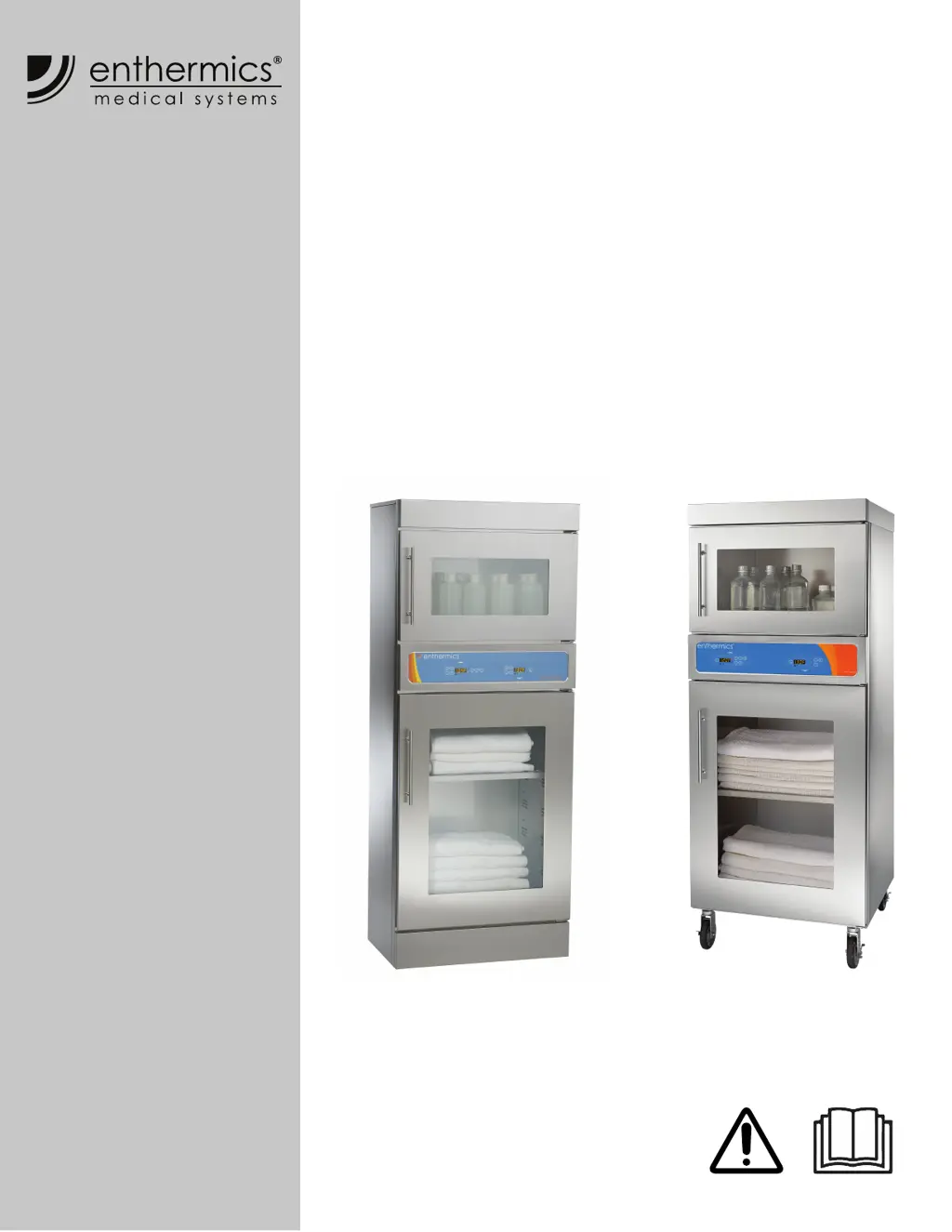
Operators Manual
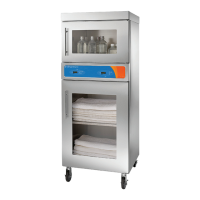
Combination
Blanket/Fluid Warmer
EC1350BL
EC1850BL
MN-39940
REV.03
8/20
EN

Other manuals for Enthermics EC1850BL

Questions and Answers

  • A
    Anna DavisAug 18, 2025
    What to do if the sensor is shorted in Enthermics EC1850BL?
    • C
      Christopher SalinasAug 18, 2025
      To address a shorted sensor in your Enthermics Medical Equipment, begin by testing the sensor. Detach it from the warmer and use an Ohm meter to measure its resistance at 25°C (77°F). If the reading is 10 KOhm ±1.5 KOhm, replace the display. If it's ±2 KOhm, replace the sensor. Also, check the wires for any damage and ensure all connections at the control and terminal block are secure. Resecure any faulty connections. If the problem continues, it is recommended to call for service.
  • V
    Vanessa WuAug 20, 2025
    What to do if the sensor is open in Enthermics EC1850BL Medical Equipment?
    • R
      Ryan AyalaAug 20, 2025
      To troubleshoot an open sensor in your Enthermics Medical Equipment, start by testing the sensor. Detach it from the warmer and use an Ohm meter to measure the resistance at 25°C (77°F). If the reading is 10 KOhm ±1.5 KOhm, replace the display. If it's ±2 KOhm, replace the sensor. Check the wires for any damage and ensure secure connections at the control and terminal block; re-secure if necessary. If the issue remains, contact service.
  • R
    Rachel JoyceAug 23, 2025
    What to do if Enthermics EC1850BL Medical Equipment shows heater pad over-temp error?
    • Z
      zwalterAug 23, 2025
      If you encounter a heater pad over-temp error on your Enthermics Medical Equipment, acknowledge the error by pressing the ON/OFF button. Allow the warmer to cool down. If the error continues, contact service.
  • K
    Kimberly BookerAug 26, 2025
    How to cool down Enthermics Medical Equipment if the cavity temperature is too high?
    • R
      Rhonda BrooksAug 26, 2025
      If the cavity temperature of your Enthermics Medical Equipment is higher than the set point, allow the cavity to cool to the set point temperature.
  • J
    Jacob DavisAug 28, 2025
    What to do if the temperature difference between cavity sensors 1 and 2 is too high in Enthermics EC1850BL Medical Equipment?
    • R
      Roy JohnsonAug 28, 2025
      If the temperature difference between cavity sensors 1 and 2 exceeds 1.7ºC (3ºF) in your Enthermics Medical Equipment, remove the product and allow the warmer to cool down. Ensure the product sensor is clean and functioning correctly. Press the power button to clear the error code. If the error persists, contact service to replace the sensor switch assembly.
  • H
    harrellshannonAug 30, 2025
    How to fix real time clock battery discharge in Enthermics EC1850BL?
    • F
      fernandezjenniferAug 30, 2025
      If the real-time clock rechargeable battery backup has discharged in your Enthermics Medical Equipment, plug the warmer into the outlet for 30 minutes. Then, refer to the Timer Control Feature section in the blanket manual to reset the clock.
  • T
    Tonya WilsonSep 2, 2025
    What to do for Analog to Digital Convertor Error on Enthermics EC1850BL Medical Equipment?
    • E
      Elaine OwensSep 2, 2025
      If you get an Analog to Digital Convertor Error on your Enthermics Medical Equipment, remove any inventory and discard it if necessary. Allow the warmer to cool down. If the error persists after cooling and resetting, contact service to replace the control assembly.
  • S
    Sonya AyalaSep 4, 2025
    How to adjust the number of heater pads on Enthermics Medical Equipment?
    • G
      Gregory RodriguezSep 4, 2025
      If your Enthermics Medical Equipment detects more heater pads than set, hold the ON/OFF button for 12 seconds until the display shows "PAd#" (# = number of pads selected [3-7]). Use the up or down arrow to adjust to the correct number of pads.
  • M
    Margaret HoltSep 7, 2025
    What happens if a button is held down too long on Enthermics Medical Equipment?
    • J
      jaclyn82Sep 7, 2025
      If a button has been held down for more than 60 seconds on your Enthermics Medical Equipment, adjust the control. The error will reset once the problem is resolved.
  • P
    Patricia AguilarSep 9, 2025
    What to do if Enthermics EC1850BL Medical Equipment displays a Hardware Over Temp error?
    • D
      David CarpenterSep 9, 2025
      If you are experiencing a Hardware Over Temp error with your Enthermics Medical Equipment, inspect the connections and condition of the high limit bimetal thermostat. If the error persists, contact service.

Summary

SAFETY

Safety Precautions

Essential precautions for electrical safety, proper usage, and operator training to prevent hazards.

SPECIFICATIONS

Specification Information

Detailed technical specifications including model, weight, cavity capacity, temperature range, clearance, and electrical standards.

INSTALLATION

How to Unpack the Warmer

Step-by-step guide for safely unpacking the warmer, including necessary checks and tools.

Installation Procedures

Covers requirements, voltages, positioning, mounting, and power connection for installation.

OPERATION

Operating Cavities

Guides for operating the Blanket Warmer (Bottom Cavity) and TriMode Warmer (Top Cavity), including temperature settings and loading.

MAINTENANCE

TROUBLESHOOTING

Handling Power Interruptions and Alarms

Procedures for resetting the warmer after a power interruption and acknowledging alarm indicator lights.

Error Code Reference

A comprehensive list of error codes, their causes, and required actions for troubleshooting warmer malfunctions.

Enthermics EC1850BL Specifications

General IconGeneral
CategoryMedical Equipment
ModelEC1850BL
ManufacturerEnthermics
Power120V, 60Hz
DisplayDigital

Related product manuals