Updating the Firmware in the
DMX USB PRO
From time to time new versions of the firmware (internal operating
software) for the DMX USB PRO may become available, to add
features or fix an operational problem that has been discovered.
Updates are made available from the Downloads section of the
Enttec website at www.enttec.com.
After checking that the firmware available from the Enttec website
has a higher version number than that currently installed in the
DMX USB PRO (see Firmware version footnote below), download the
file dmx_usb_pro_update.exe. Download it to your desktop, and
run it, with your DMX USB PRO plugged in to the USB port
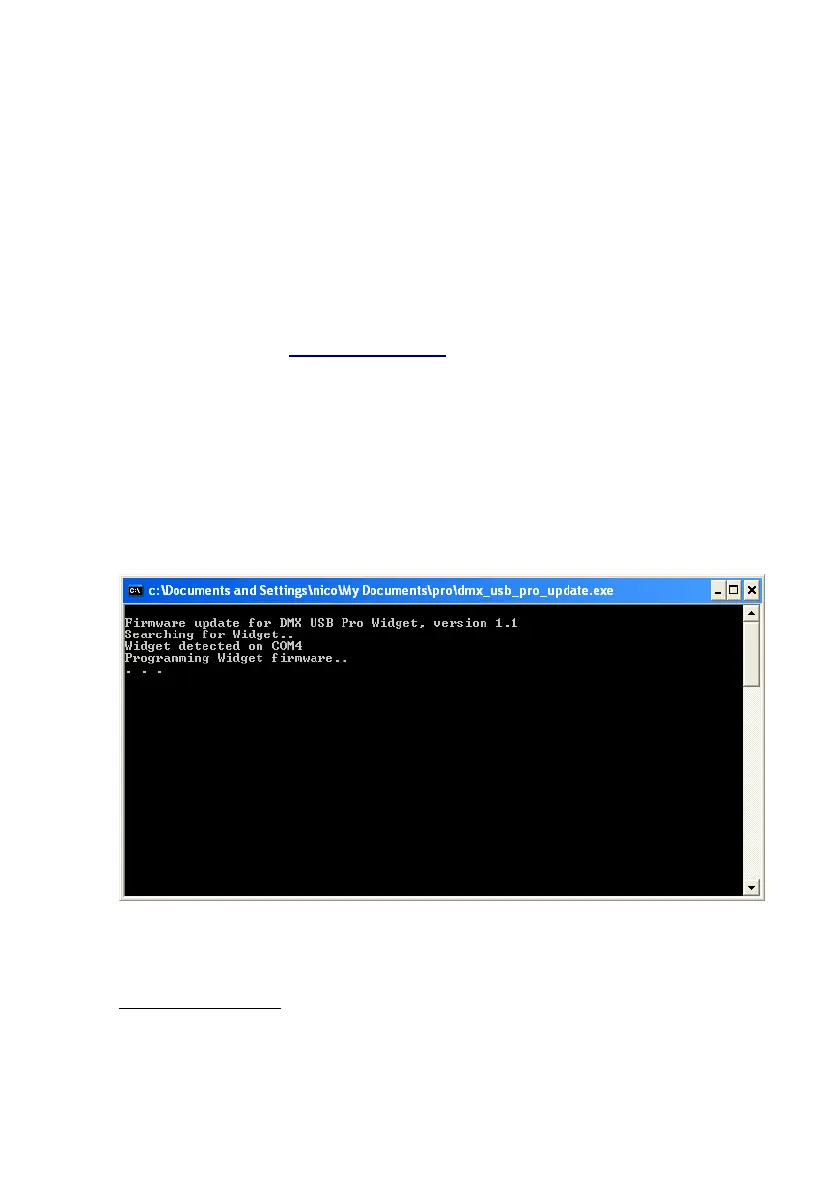
while you do so. The screen which results will look like the
following illustration.
1
That’s all there is to upgrading the firmware.
1 Firmware Version: Use whatever program you normally access the DMX
USB PRO with (such as LightFactory, Arkaos, Freestyler, Capture, etc.)and look
in it for a notice about the firmware version.
15


 To Next Page