TNF Concept - 62 rue de Paris - 77240 Champs sur Marne - France
www.tnfconcept.com contact@tnfconcept.com
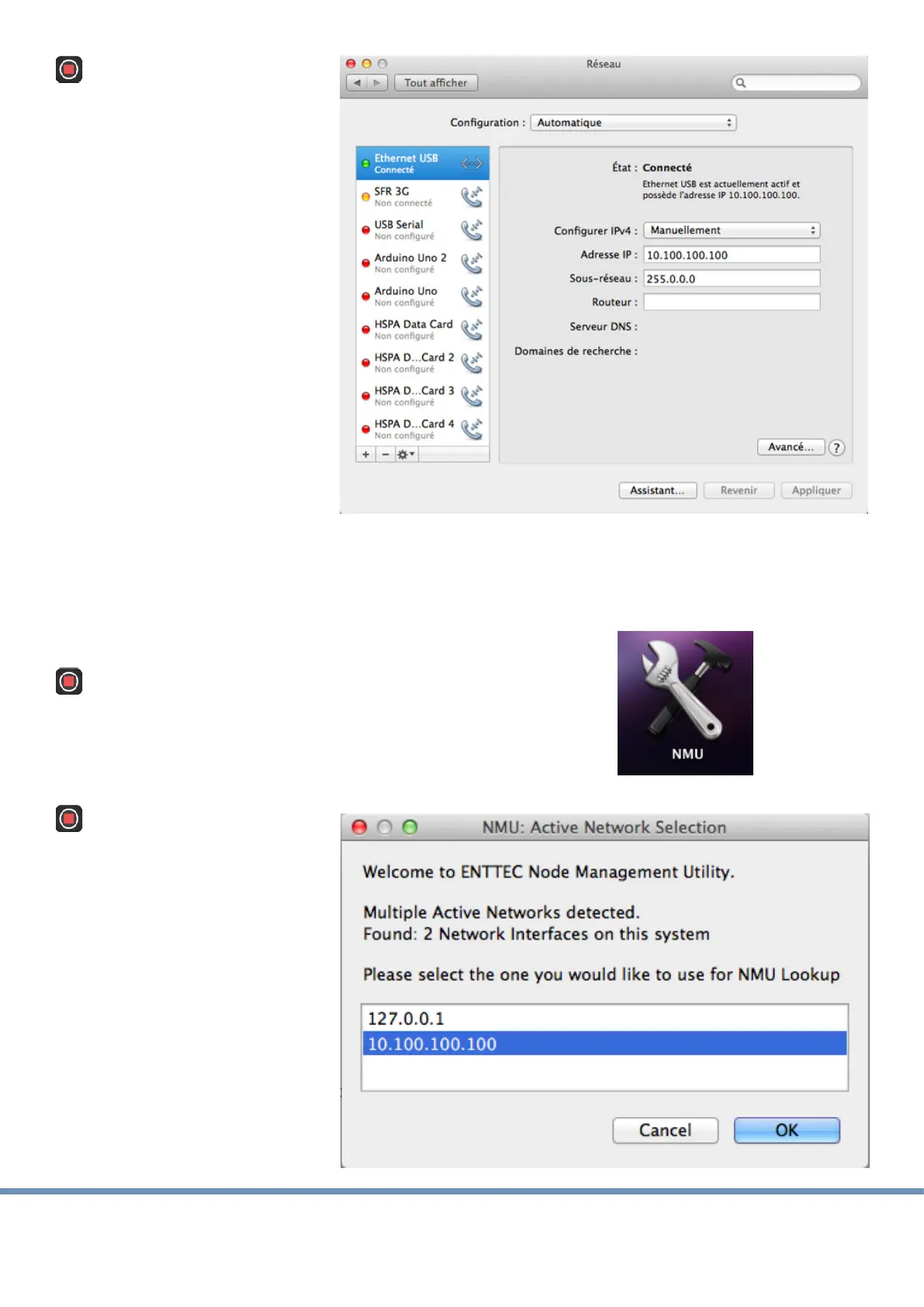
Congure the Ethernet port
of the computer on the
same network as the Enec
ODE (the factory sengs of
the box is an address such
as 10.7.127.162, that is a
class A network):
- Choose a manual
conguraon.
- Seize an IP address in
the same network as
the ODE. For example
10.100.100.100.
- Complete the mask of
sub-network with the
values 255.0.0.0
- Validate
- Warning : the computer is not any more connected to the usual network nor to the
internet.
Launch NMU soware.
At the beginning of the
execuon of the program,
a window opens to ask you
to choose an IP address
among the list of the
addresses which exist in
the computer:
- Select the one that you
seized previously with
conguraon of your
Ethernet connecon.
- Click on OK.


 To Next Page