5 6
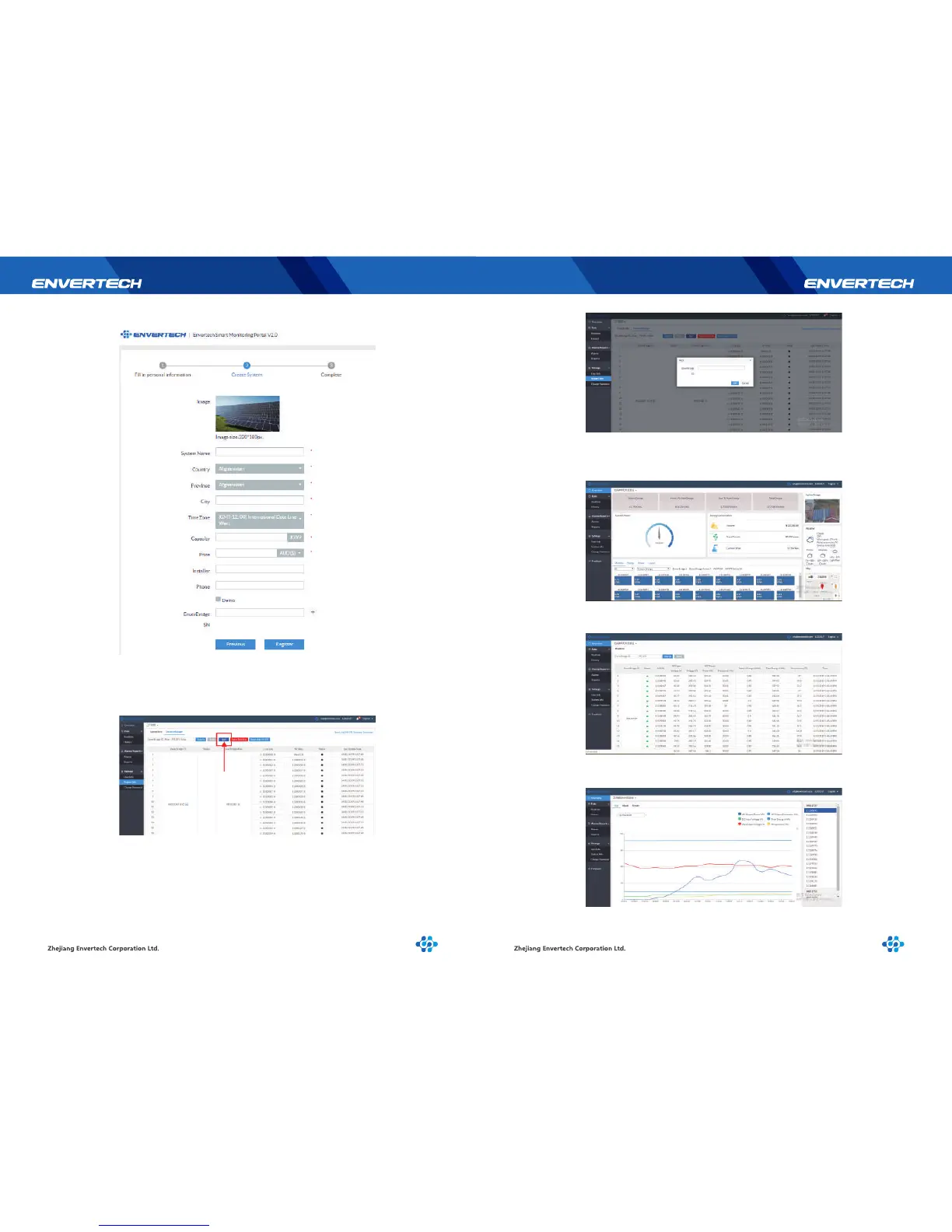
Click “Next”, and create a power station
2.4 Add devices
Select “Settings”→ “System Info”→ “Device Manager”,and click “Add”to
enter the interface.
2.5 Monitoring Webportal Interface
2.5.1 Overview Page
Smart Monitoring Webportal——EnverPortal,for single power station
2.5.2 Real-time Monitoring
Click “Realtime” button to enter the realtime data page.
2.5.3 Historical Data
Click “History” to enter the data graphs page
Enter the correct SN of EnverBridgein the popup box and click “OK”.


 To Next Page