Shenzhen Envicool Technology Co., Ltd.
4.4 Self-testing
Select the “Diagnosis” function in the “Set Up”
menu, the unit will start the self-testing procedure
automatically.
1) The self-testing procedures are as below:
2) The indoor fans run for 30 seconds.
3) The compressor and the outdoor fans run for
3 minutes.
4) The compressor and external fan stops.
5) If the Control of external fan is optional, the
external fan will run for two minutes (if not,
there will be no this item).
6) The unit works according to the normal logic.
4.5 Alarm information
The cabinet air conditioner provides the following
alarm information.
Parameter
Alarm
conditions
Uploading
or NO
Cabinet High
Temp
internal
temperature
exceeds
Y
Controller
Board Power
Down Alarm
No power
supply to
controller
Y
Temp Sensor
Temp sensor
failure
N
Condensing
Temp Sensor
Failure
Temp sensor
failure
N
Temp Sensor
Temp sensor
failure
N
Frequent
High
swich
operates too
Y
CAUTION!
The system in high pressure locking is likely to be
caused by dirty plugging of strainer. Even so, the
dirty plugging can't be avoided due to long-running
of the unit where the dust is collected on the
condenser fin. So, in the use process, it is very
important for the users to regularly clean the
strainer and condenser.
4.6 Monitoring
The air conditioner communicates with the upper
monitor through the RS485 communication
interface. Or users can check the air conditioner’s
running state by viewing the display screen directly
and change its running parameters.
4.7 Unit menu structure
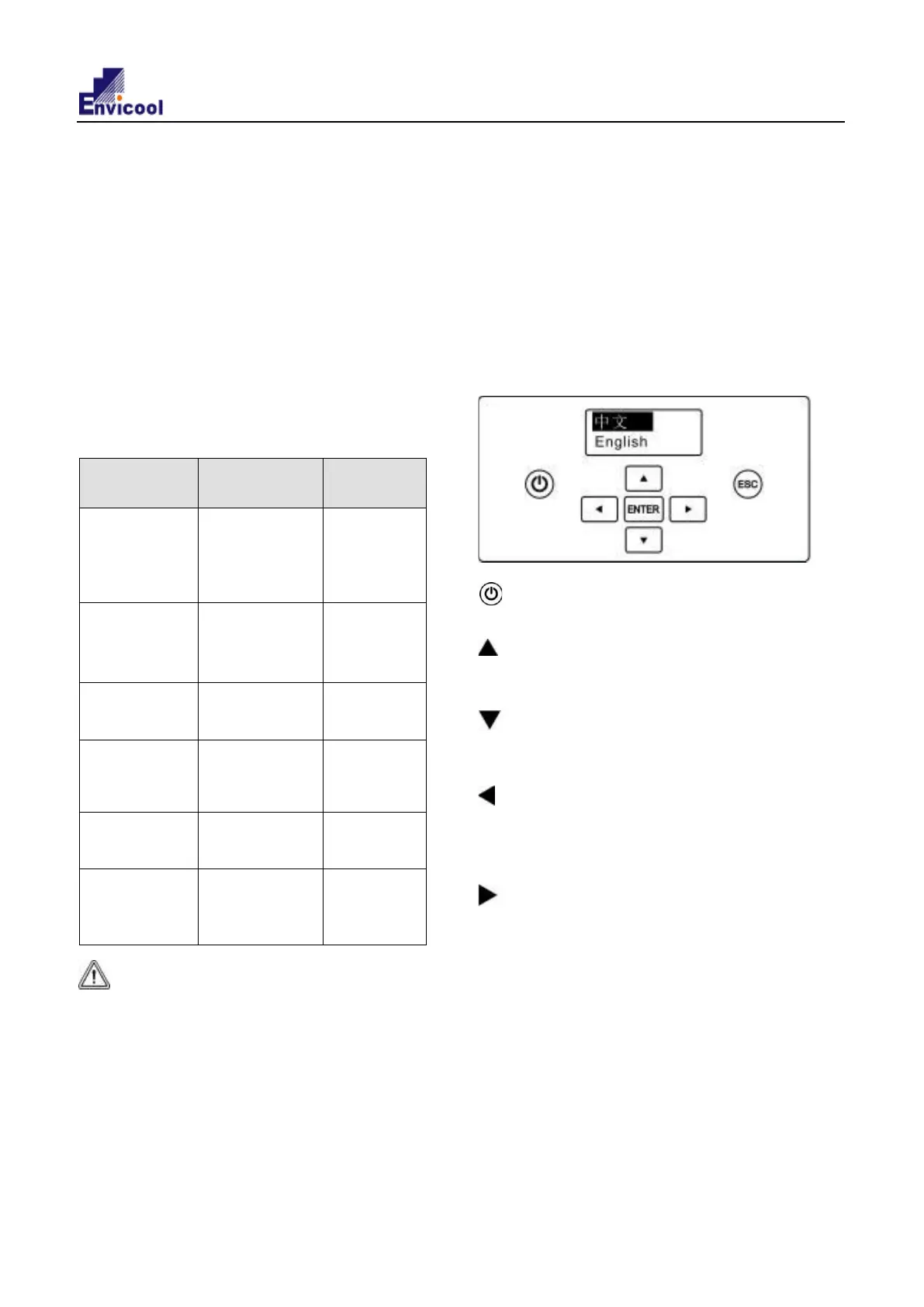
4.7.1 Operation interface
The unit controller adopts the 96x32 LCD, which
contains 7 buttons for the setting. The operation
interface is as shown in the following figure:
: ON/OFF button, (long press this button,about
5s)this can be used to turn on/off the unit.
: Up button, which is used to select the
previous record/menu or increase the setting value
(password only).
: Down button, which is used to select the next
record/menu or decrease the setting value
(password only).
: Left button, which is used to increase the
setting value during the parameter setting or select
the previous bit of the data during the password
setting.
: Right button, which is used to decrease the
setting value during the parameter setting or select
the next bit of the data during the password setting.
ENTER : ENTER button, which is used to confirm
the entry.
ESC : Quit button, which is used to return to the
previous page menu.
If there is no keyboard operation for consecutively
60s under any interface after startup, it will
automatically return to the normal display interface.
When any button is pressed after the system is
powered up, the backlight will turn on. If there is no
EIA series air conditioner user manual
10


 To Next Page