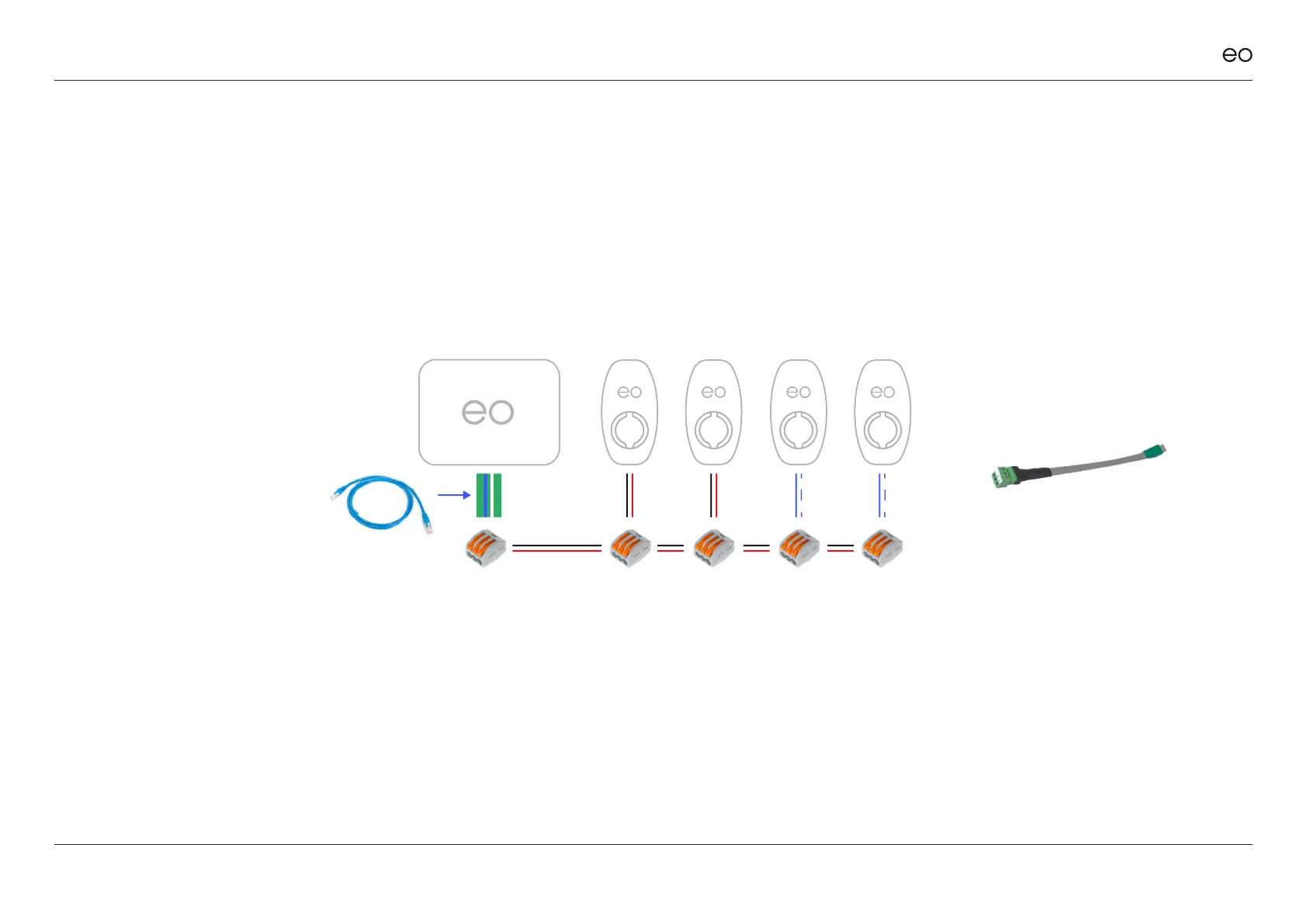
The serial connector on the hub
is an RJ45 socket i.e. a standard
Ethernet socket. The thickness of
the recommended Belden type
cable is too thick to be connected
into the RJ45 connector therefore
a short 30cm Ethernet cable can
be used as the EO Hub’s primary
connection.
Connecting the Serial cable to the
RJ45 connector on the EO Hub:
1. Use the enclosed RJ45 to serial line
adaptor.
2. Take a standard CAT 5 Ethernet
cable.
3. Cut a short length with the RJ45/
Ethernet plug on one end.
4. Strip and expose the bare wires for
pins 4&5 for Comms A&B and pin 1
for earth.
5. Connect the serial cable to the bare
wires using a 3 way level connector.
3.04
EO Genius & EO Hub Installation Guide
© EO Charging 2021 17
3.0
Cat5 patch
lead
Belden 9841
RJ45 Wiring
connections for
Genius serial bus
RE485.
Figure 8



 To Next Page