EO Mini Pro 2 User Manual
© EO Charging 2020 6
3.0
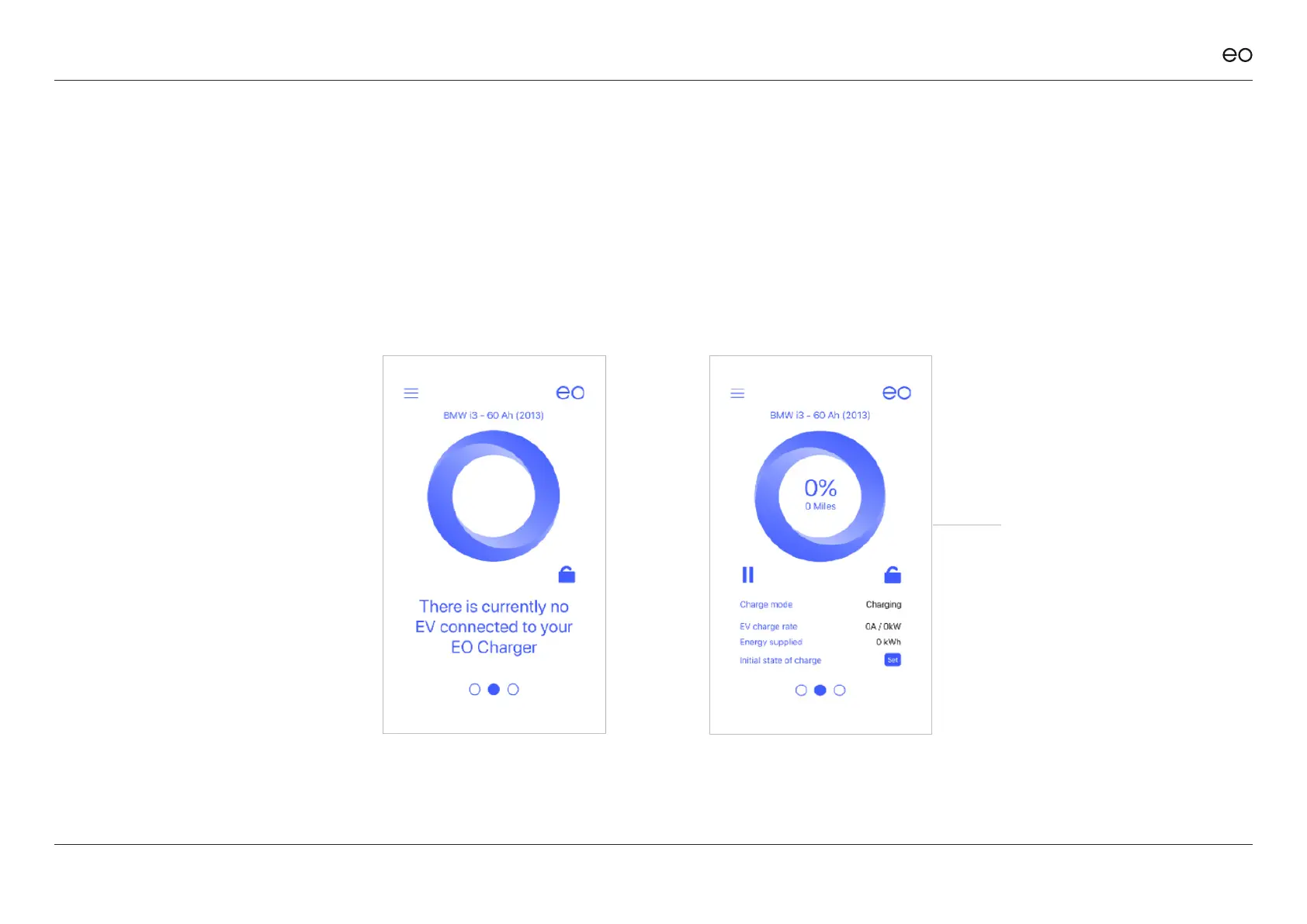
Main Screen.
3.1
No Vehicle
Connected.
The only option available is to
disable the charging station –
please refer to section 3.3.
When a vehicle is connected
then more information is
presented to the end user:
3.2
Vehicle
Connected.
The information shown is:
+ Vehicle state – is the vehicle
charging or not
+ Charging rate – how
much power is the vehicle
consuming
+ Energy Supplied – how
much energy supplied in the
current session in kWh
+ State of Charge – please
refer to section 3.4
This is the default screen of the
EO Smart Home app. It presents
a variety of information which
changes when the vehicle is
connected or not.



 To Next Page