GET STARTED / 3
17/ 552 EOTECHINC.COM /
Brightness Adjustment >
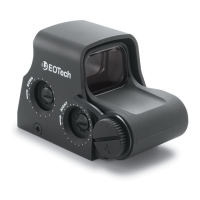
• The push buttons vary the brightness intensity of the holographic reticle pattern.
• Pressing the UP or DOWN buttons will increase or decrease the brightness level.
• There are twenty (20) daytime brightness settings provided to allow the user to
adjust the reticle brightness to their preference.
Auto Shutdown >
• The HWS has an auto shutdown feature.
• If the sight is turned on by pressing the UP button, it will automatically shut itself
OFF 8 hours after the last pushbutton control is used.
• If the sight is turned on by pressing the DOWN button, it will automatically shut
OFF after 4 hours.
Night Vision Mode
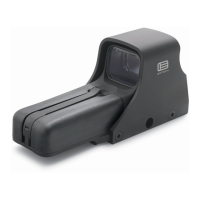
The 552 is compatible with Generation I - III+ Night Vision Devices. At the night
vision settings, the reticle brightness is low enough that when viewed with a night
vision device, the reticle image does not bloom.
•
ON/ Night Vision Mode and 8 Hour Auto Shut Down
Pressing the NV Button (FIGURE 3) will turn the sight ON in Night Vision Mode.
The sight will turn on at Level 4 and automatically shut off 8 hours after the last
pushbutton control is used. There are ten (10) NV brightness settings provided
to allow the user to adjust the reticle brightness to their preference.
•
OFF/ Turning Sight OFF
To turn the sight off, press both the UP and DOWN arrows simultaneously.
Verify that the sight shuts off by looking though the heads-up window with the
night vision device.
•
TOGGLE/ Between Normal and Night Vision Modes
To toggle between NORMAL and NIGHT VISION MODES, press the NV button.
When switching between modes, the sight will remember the last
brightness setting.
NOTE: When used with a Night Vision device, always check to make sure the sight is not
turned on before pressing the NV button to turn on the sight in the Night Vision mode.
Otherwise, it will toggle to the Normal mode and saturates the image intensifier.


 To Next Page