10
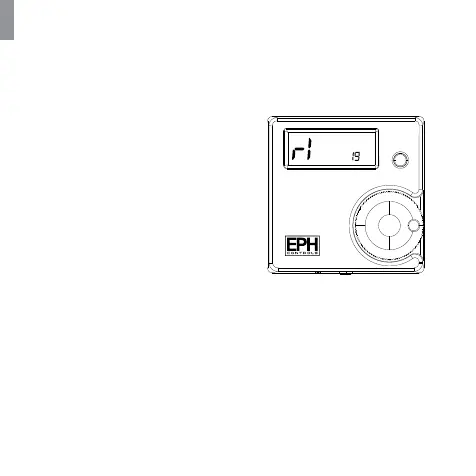
Figure (7-c) Zone screen
Pairing your thermostats to your programmer
Complete this step before pairing your thermostats to your programmer
7. The thermostat will count to 3
and then display the zone of the
programmer that it is paired to. If
it is paired to the rst zone it will
display r1, the second zone r2 etc.
Figure (7-c)
8. Press the wheel on the
thermostat to complete the
pairing process.
9. The RF programmer is now
operating in the wireless mode.
The temperature of the wireless
thermostat is now displayed on
the programmer.
10. Repeat this process for the
second, third and fourth zone if
required.


 To Next Page