21
Home SetupPairing your gateway to your Internet (Con’d)
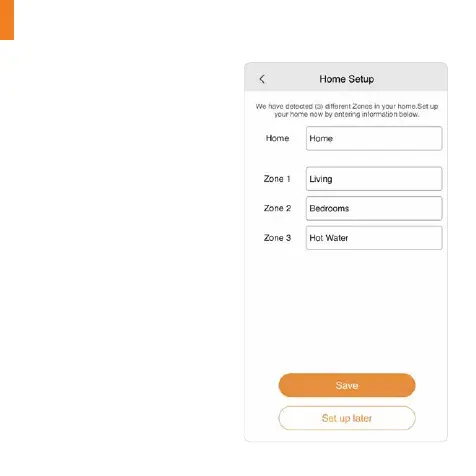
Home Setup appears on the the
screen – this may take a moment.
The number of zones connected
to the programmer is detected
and shown on the screen.
1. Enter the Home name.
2. Enter the Zone names. (It is not
possible to rename the Hot Water
zone.)
3. Press ‘Save’ to continue.


 To Next Page