
 Need help?
Do you have a question about the EPH Controls EMBER GW01 and is the answer not in the manual?
Details requirements for Wi-Fi connection and gateway placement.
Specifies minimum iOS and Android versions for the app.
Advises on optimal gateway placement for a stable connection.
Identifies and describes the function buttons and LED status indicators on the gateway.
Identifies the buttons on the RF programmer used during gateway installation.
Detailed steps for connecting the programmer to the GW01 gateway.
Instructions on how to reset RF connections if specific error codes appear.
Guide to pairing RFR/RFC thermostats with the RF programmer.
Steps to download the EPH EMBER App from iOS App Store or Google Play Store.
Process for opening the app and creating a new user account.
Steps for verifying the user account via email and confirmation code.
Completing user profile, setting password, and granting necessary permissions.
Instructions on starting the Wi-Fi setup process via 'WiFi Setup' or 'Invite Code'.
Explains the distinction between 'Installer' and 'Home owner' roles during setup.
Choosing the 'PS' system and ensuring network connectivity for automatic SSID population.
Entering Wi-Fi password and synchronizing the gateway with the mobile device.
Associating the gateway with the mobile device by entering the gateway code.
Setting up the home name and naming individual heating zones.
Entering postcode or address to provide accurate local weather information.
Option to invite other users to the system or skip this step.
How to select a zone from the Home screen to access its control interface.
Labels for target temperature, current temperature, mode, and boost functions.
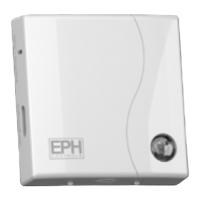
The GW01 Gateway is a central component of the EMBER by EPH Controls smart heating system, designed to provide remote control and management of your home's heating from anywhere, at any time. This system allows users to set up and manage their heating zones, adjust temperatures, and monitor their heating system through a dedicated mobile application. The gateway acts as a bridge between your heating programmer and your wireless internet, enabling seamless communication and control.
The primary function of the GW01 Gateway is to facilitate the remote control of your heating system. It connects your EPH Controls RF programmer and associated thermostats to your home's wireless internet network. Once connected, the gateway allows the EMBER mobile application to communicate with your heating system, sending commands and receiving status updates. This means you can adjust your heating schedules, change temperatures, activate boost functions, and even enable holiday mode directly from your smartphone or tablet. The gateway operates on the 2.4GHz frequency band for Wi-Fi connectivity, ensuring compatibility with most standard home routers. It supports multi-zone heating systems, allowing individual control over different areas of your home, such as living rooms, bedrooms, and hot water.
The GW01 Gateway is designed for straightforward integration into an existing EPH Controls heating setup. The setup process involves pairing the gateway with your RF programmer, and then pairing your wireless thermostats to the programmer. Once these hardware connections are established, the EMBER app guides you through connecting the gateway to your home's Wi-Fi network.
Key usage features include:
The GW01 Gateway and the EMBER system are designed for minimal maintenance, focusing on stable operation and user convenience.
Key maintenance considerations and features include:
The GW01 Gateway, as part of the EMBER by EPH Controls ecosystem, offers a comprehensive and user-friendly solution for modern heating control, emphasizing convenience, efficiency, and remote accessibility.
 General
| Connectivity | Ethernet |
|---|---|
| Power Supply | 5V DC |
| Operating Temperature | 0°C to 40°C |
| Dimensions | 110mm x 90mm x 25mm |
| Product Type | Gateway |
| Compatibility | Zigbee |

 To Next Page