15
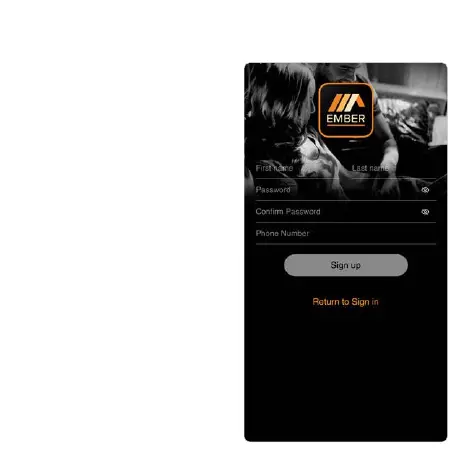
9. Enter your rst name.
10. Enter your last name.
11. Enter your password (Minimum 6
characters - inlucding lowercase,
uppercase and numbers.)
12. Conrm your password.
13. Enter your telephone number
(optional).
14. Press Sign up.
15. You will be brought to the landing
screen to enter your email address
and password.
16. During the course of the setup
you may be asked to allow
notications, location and
detecting local network devices.
You should allow EMBER access
for these settings as it may cause a
problem to setup your system.


 To Next Page