8
Note
If ‘r2’, ‘r3’ or ‘r4’ appears on the screen and you are not setting up a multi
programmer system, please reset the RF connections to the gateway by
completing the following:
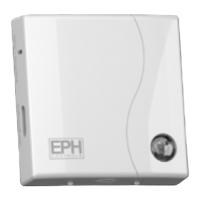
Press and hold the crystal button until it begins to ash.
Press the Smartlink / WPS button once.
The LEDs will stop ashing for 5 seconds.
Once the LEDs begin to ash again, press the crystal button 3 times.
This will reset all RF connections to the gateway.
You can now complete steps 2 – 9 on the previous page.
Pairing your programmer to your gateway
Complete this step before pairing your thermostats to your programmer


 To Next Page