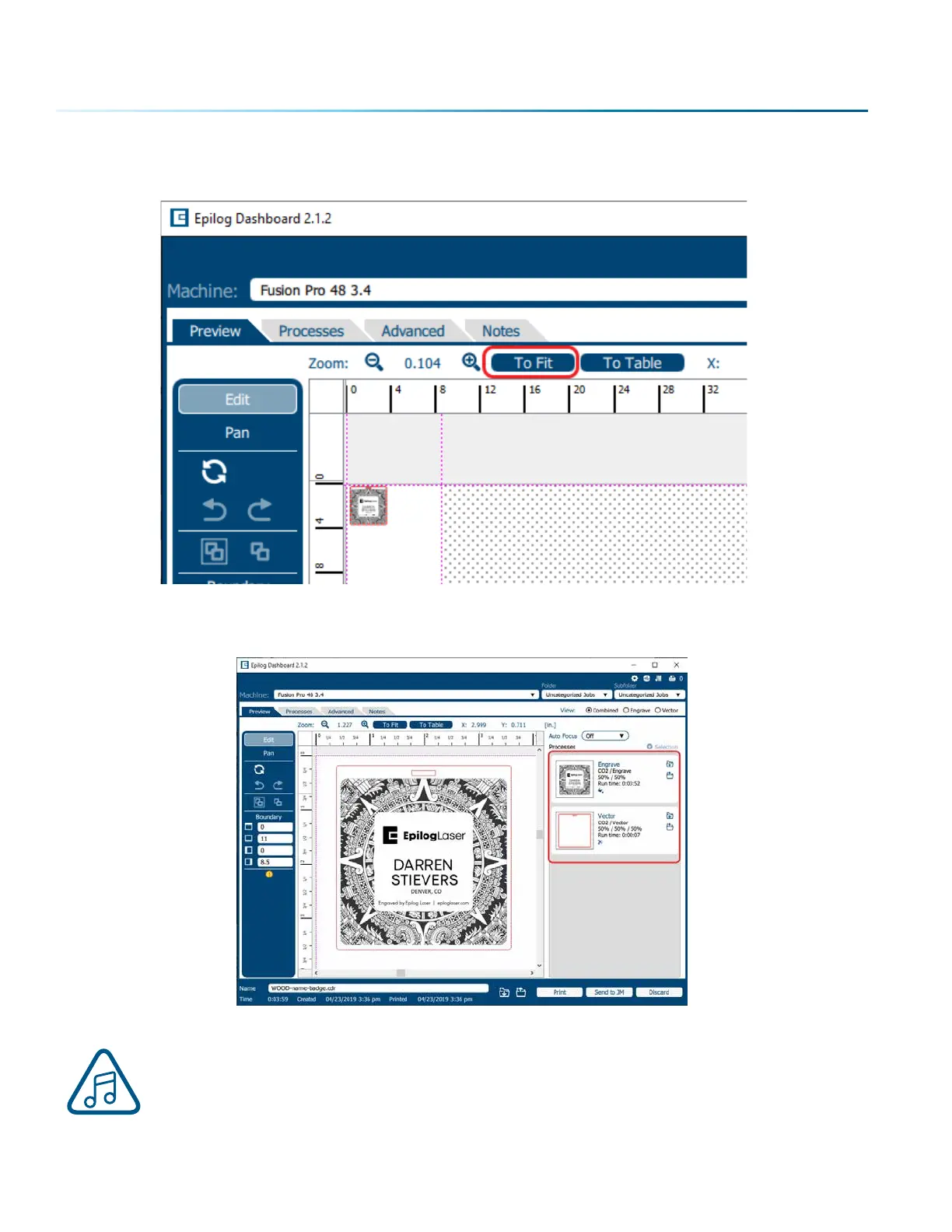
3. Your file will open in the Laser Dashboard. Select “To Fit” to zoom in on your object.
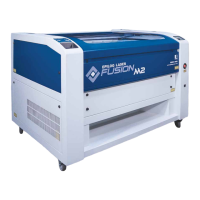
4. On the right side of the screen you can see two processes in the process list: Engrave and Vector.
These layers automatically separated because we set the line width of cut lines to .003”
(0.077 mm) or thinner). You can set the Dashboard to automatically separate vector lines
by line thickness, color, or no action. For more information, see “Presetting Your Cut Lines”
on page 52.
- 50 -
SECTION 5: THE LASER DASHBOARD



 To Next Page