HOW TO USE VIA:
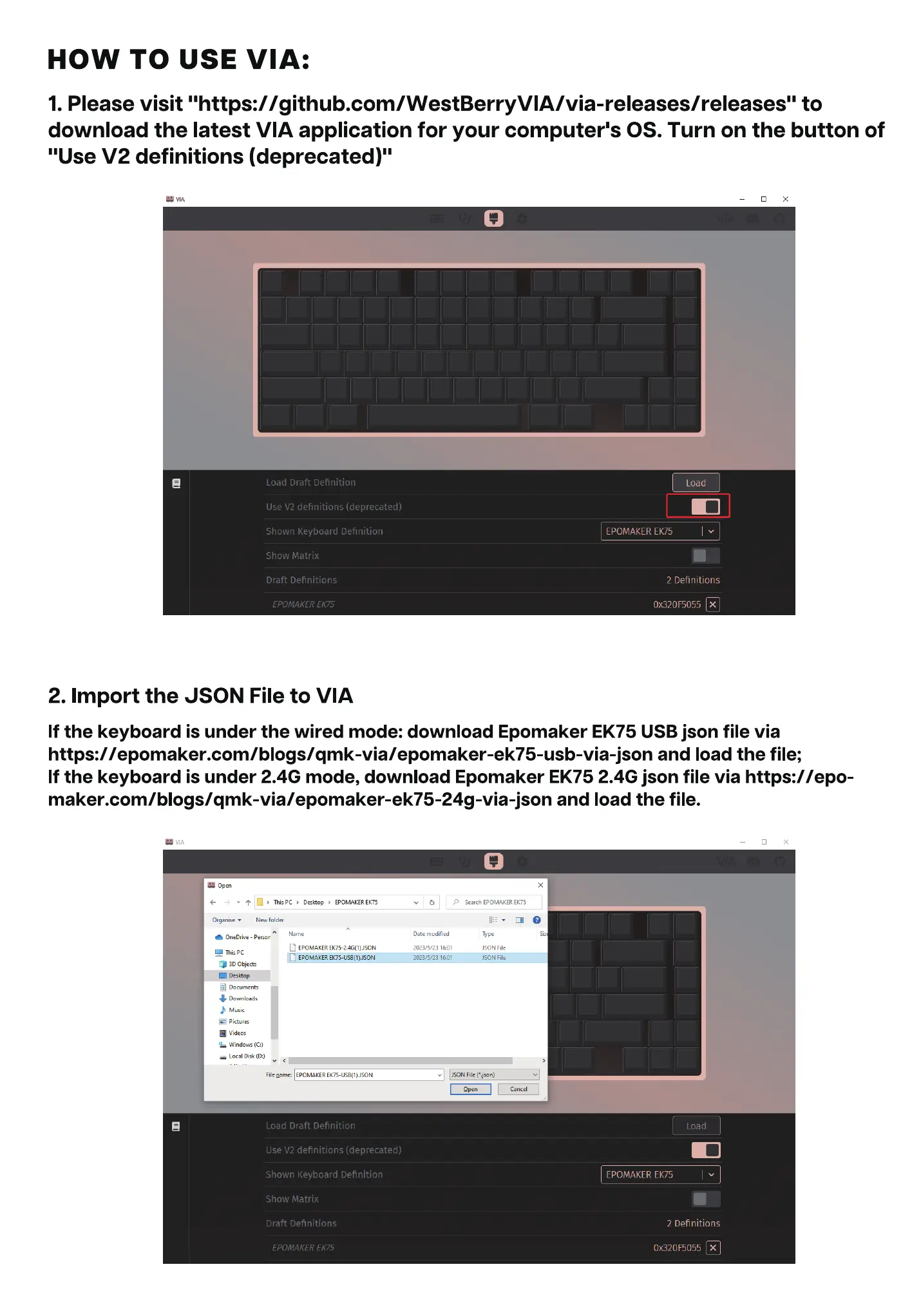
1. Please visit "https://github.com/WestBerryVIA/via-releases/releases" to
download the latest VIA application for your computer's OS. Turn on the button of
"Use V2 definitions (deprecated)"
Load Draft Definition
Use V2 definitions (deprecated)
Shown Keyboard Definition
Show Matrix
Draft Definitions
EPOMAKER EK75
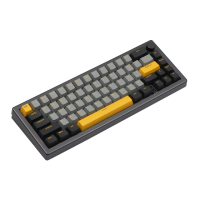
2. Import the JSON File to VIA
Load
EPOMAKER EK75
2 Definitions
Ox320F5055 X
If the keyboard is under the wired mode: download Epomaker EK75 USB json file via
https://epomaker.com/blogs/qmk-via/epomaker-ek75-usb-via-json and load the file;
If the keyboard is under 2.4G mode, download Epomaker EK75 2.4G json file via https://epo-
maker.com/bIogs/qmk-via/epomaker-ek75-24g-via-json and load the file.
ThisPC Desktop EPOMAKEREK75
Organise• Newfolder
OneDrive - Persor
D EPOMAKER
This PC
EPOMAKER
30 Objects
Documents
Downloads
Music
• Videos
Windows (C:)
Local Disk
File name EPOMAKER
Load Draft Definition
Use V2 definitions (deprecated)
Shown Keyboard Definition
Show Matrix
Draft Definitions
EPOMAKER EK75
v p SearchEPOMAKEREK75
Date
2023/5/23
2023/5/23
JSON File
JSON File
JSON
Load
EPOMAKER EK75
2 Definitions
Ox320F5055 X


 To Next Page