PAIRING BLUETOOTH
1. Toggle the switch to the Bluetooth side, then press Fn+Q/W/E to initiate the Bluetooth mode
2. Hold Fn+ Q/W/E for 3-5 seconds till the indicator flashes fast, the keyboard is ready to pair.
3. Turn on your Bluetooth device and find “EPOMAKER EK98”, then connect. When the
keyboard is connected to the Bluetooth device, the first indicator stops flashing.
4. Press Fn+Q/W/E to toggle between the Bluetooth devices 1/2/3.
PAIRING WIRELESS 2.4GHZ
Note: The keyboard will enter sleep mode after 2 minutes of inactivity, the keyboard lights
go off, and it can be reactivated by any keypress.
1. Toggle the switch to the 2.4G side, then press Fn+R to initiate the 2.4G mode
2. Hold Fn+R for 3-5 seconds till the first indicator flashes fast, the keyboard is ready to pair.
3. Insert the 2.4G dongle to your device, the first indicator stops flashing green and the
connection is done.
WIRED MODE
Toggle the switch to the wired mode.
BATTERY CHECK
Hold Fn + Enter, the keys from 1 to 0 lights up to show the battery percentage; for example,
if the keys from 1 to 6 light up when holding Fn + Enter, it means that the battery life is
currently 60%; if keys of 1-0light up, battery life is 100%.
CHECK CHARGING STATUS
Plug the keyboard and hold Fn + Space, when the spacebar light is red, the keyboard is
charging; when green, it is fully charged.
SPECS
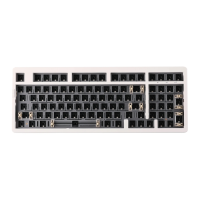
MODEL: Epomaker EK98
KEYSAMOUNT:
97
MOUNTING TYPE:
Gasket
CASE MATERIAL:
Gasketmount
PLATE MATERIAL:
Flex-cut PC
STABILIZERTYPE:
Plate-mountedstabilizers
PCBTYPE: 3/5-pin HotswapPCB
BATTERYCAPACITY:
3000mAh
CONNECTIVITY: Type-CWired,2.4&BluetoothWireless
ANTI-GHOSTKEY: NKROinallmodes
LED:
South-facingLEDs
COMPATIBILITY:
WINDOWS/MAC
DIMENSION:
381 x 144 x 40 mm
WEIGHT: Around 0.93kg


 To Next Page