Epomaker SK61/GK61 Extended Manual Version 1.3
Remapping A Single Key
We will be remapping the “S” key to the Backspace key to show how it works.
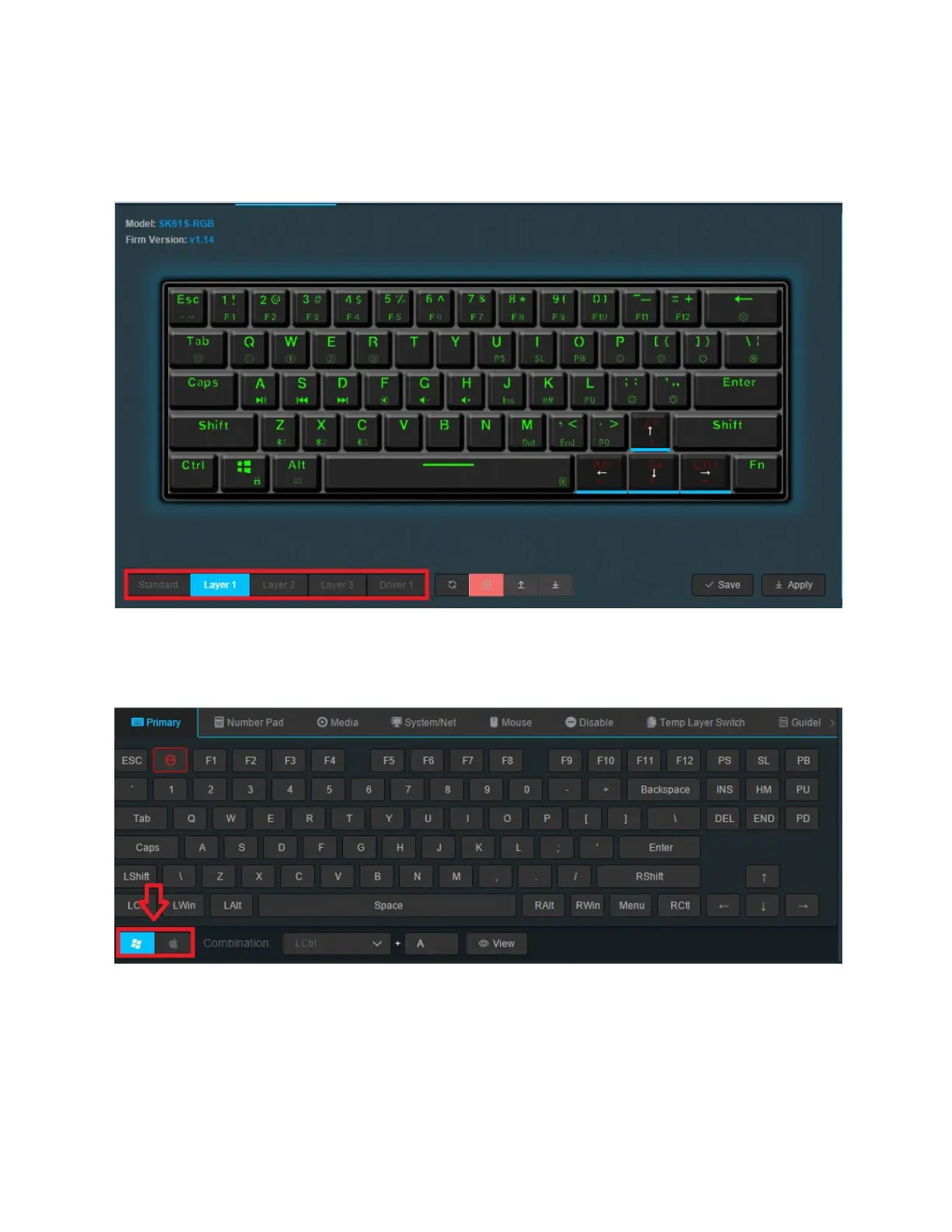
1. Select the layer you would like the button to be mapped to. In driver mode, the layer will
only work when the keyboard is in wired mode, but the Driver Layer will not work on
MacOS. Layer is for MacOS, however, and is an onboard Layer. Standard layer can not
be remapped.
2. Make sure that you’re on the proper layout for your Operating System. Press either the
Windows or MacOS layout. If you’re on Linux, you want to also stick with the Windows
layout.
45



 To Next Page