Epomaker SK61/GK61 Extended Manual Version 1.3
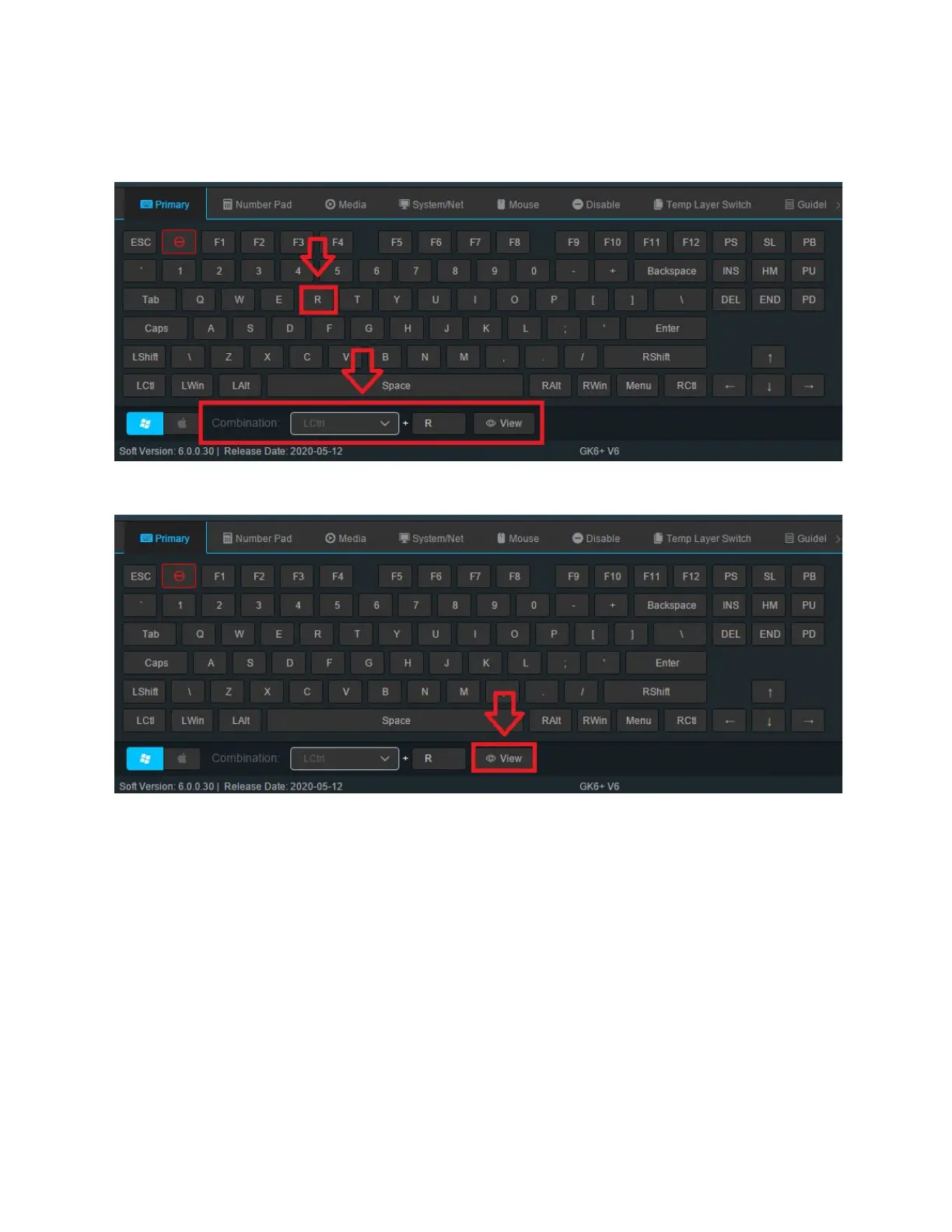
2. Press the key on the animated keyboard that you would like to edit. In this case, We are
going to be assigning the larger portion of the split spacebar as the combination LCtrl +
R.
3. Select from this section what combination you would like to do. You need to select a
main button from the dropdown and then a key from the virtual keyboard.
4. Click View from the Combination Section, then Save and Apply.
48



 To Next Page