● Make sure the document cover is completely closed; otherwise the colors in your scans
will be affected.
● A newton ring (ring-shaped stripe pattern) may appear in the scanned image. To remove
the newton ring, set the film with the base side facing up. For details, see A Newton ring
appears in the scanned image.
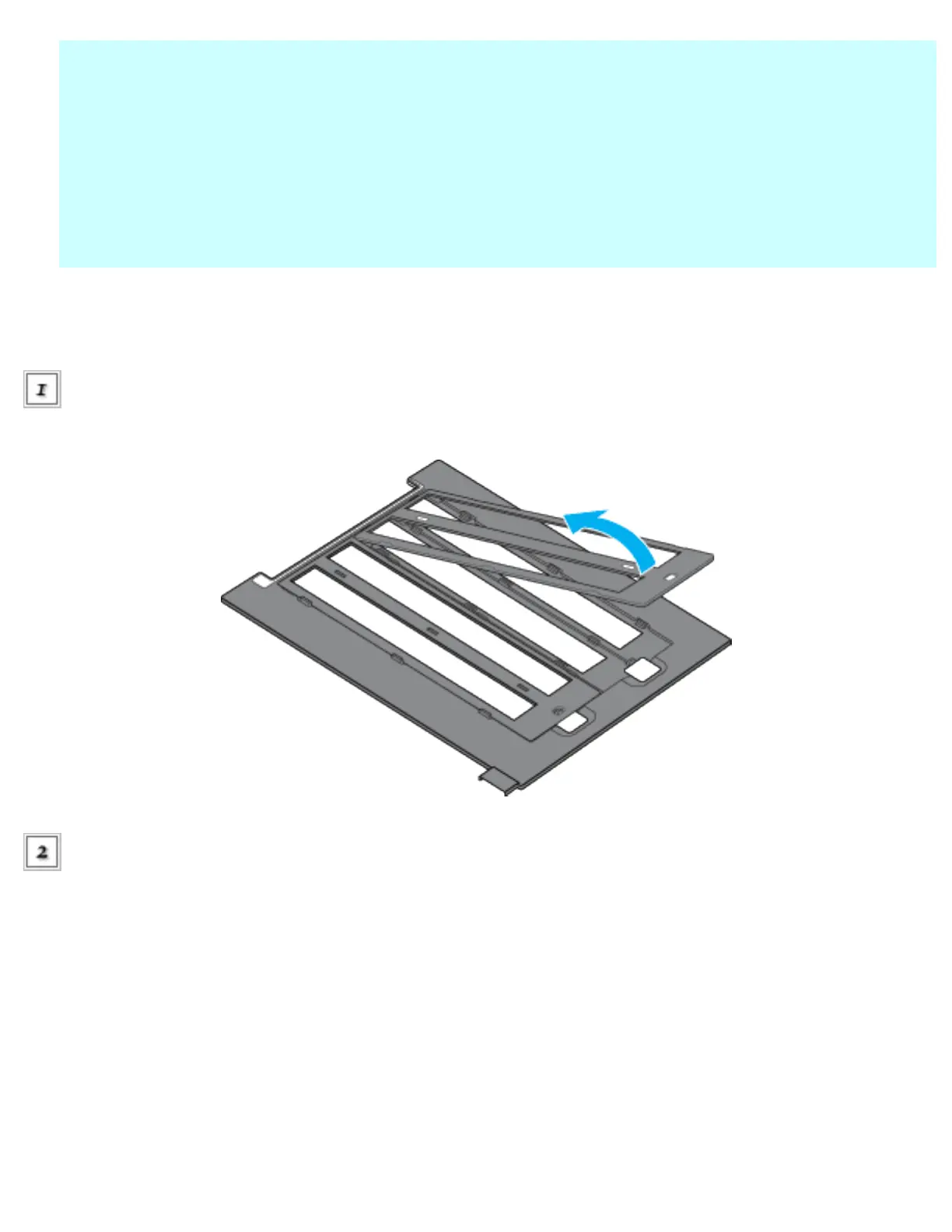
35mm filmstrips
Open the 35mm filmstrip holder's
cover.
Slide the edge of the filmstrip in the holder, as shown below. Slide it until all of the frames are
positioned inside the film holder. You can fit up to 24 frames in the film holder.
file:///Users/Shared/Tutorials/Epson_4990/ref_g/set_1.htm (4 of 16)18/09/05 11:42 AM








 To Next Page