Note:
● The base side of the film is the side where the filmmaker's name and film ID
numbers can be read correctly. When you look at an image on the film from the
base side, the image should appear normally, not reversed.
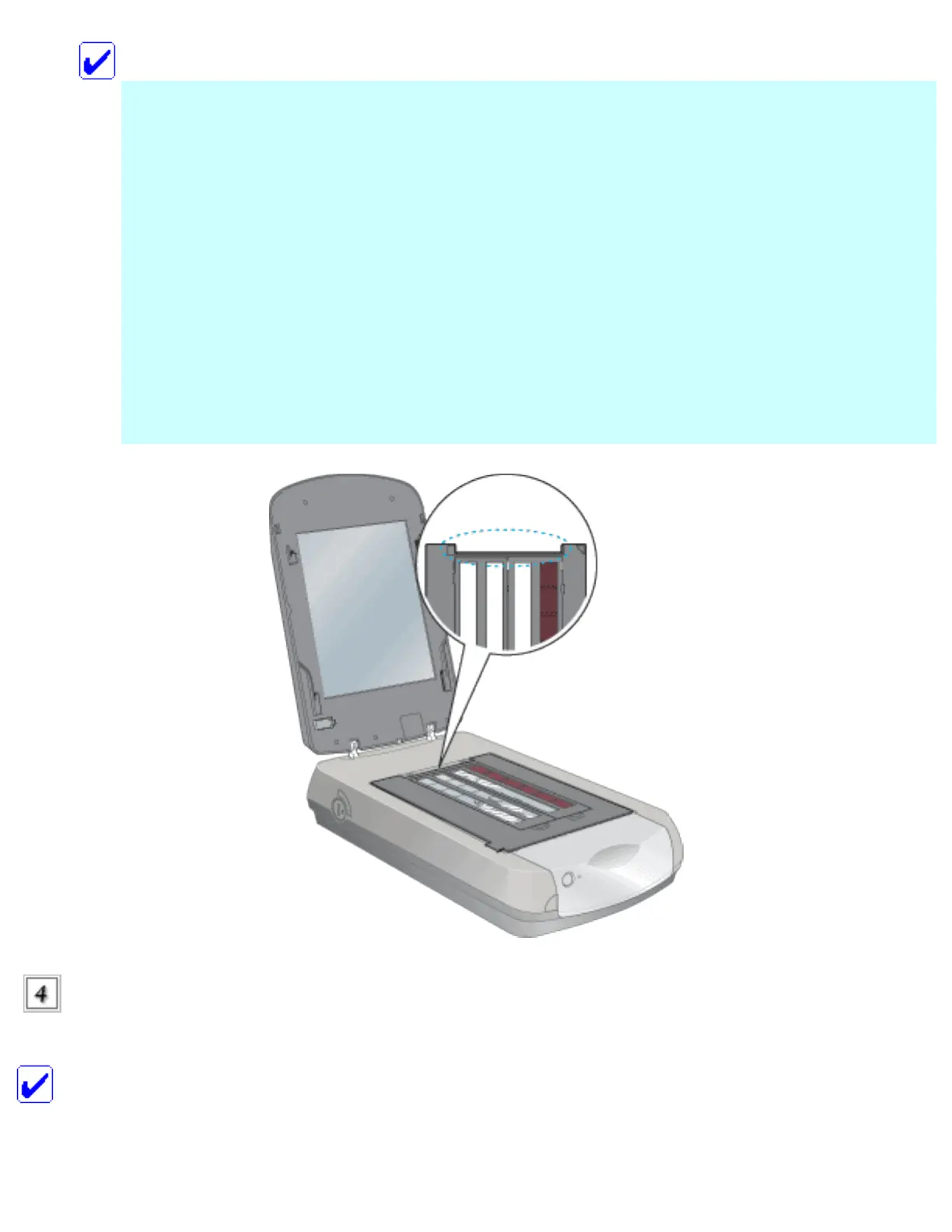
● Place the film in the film holder and position the film holder on the document table.
● Do not press on the document table glass.
● Leave the part of the film holder or film area guide (shown below) uncovered or
colors in your scans will be affected.
Close the document
cover.
Note:
file:///Users/Shared/Tutorials/Epson_4990/ref_g/set_1.htm (3 of 16)18/09/05 11:42 AM








 To Next Page