Before connecting or disconnecting the document cover's cable, make sure the scanner is
turned off.
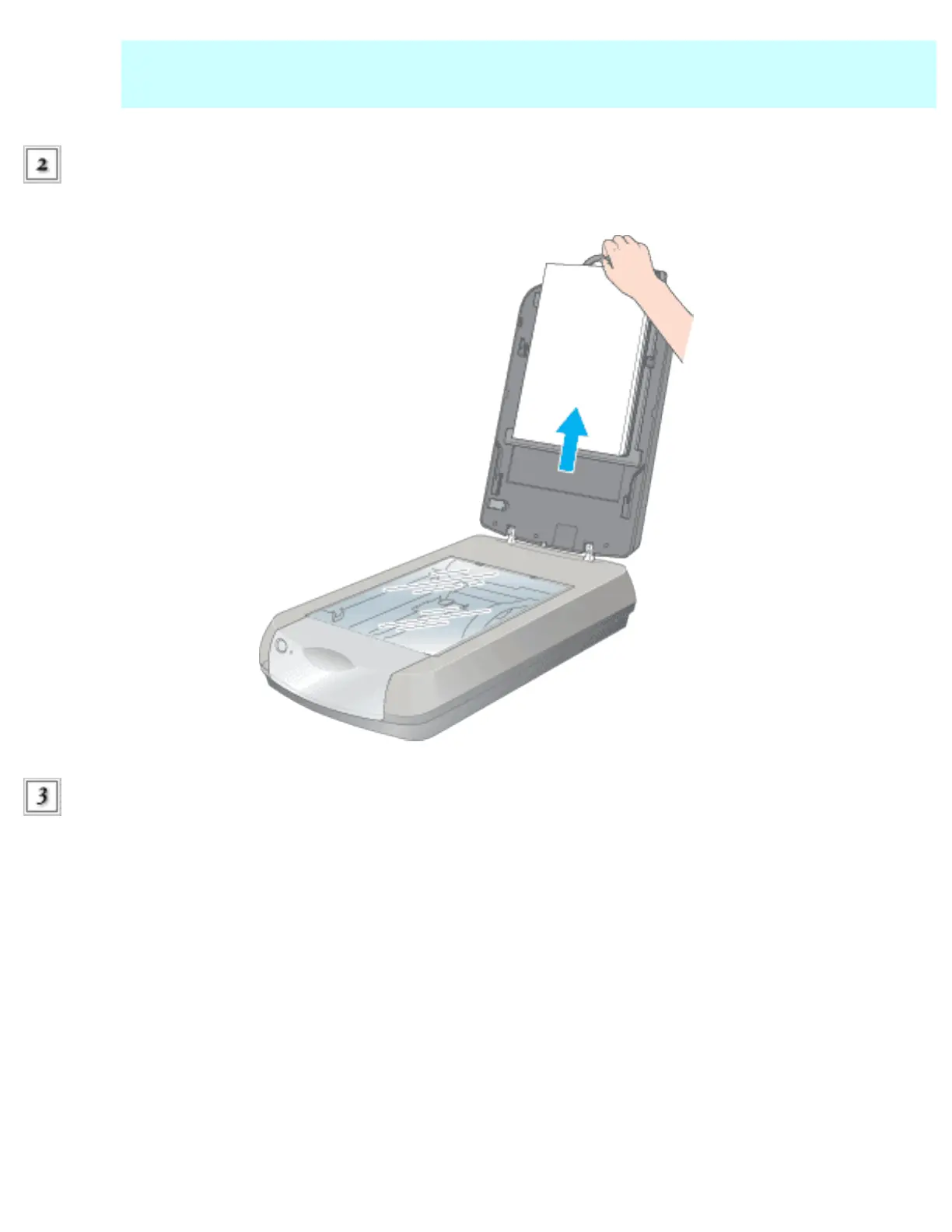
Open the document cover and slide up the reflective document mat gently to remove
it.
Place the film or slides into the film holder and position it on the document table. Refer to the
links below for instructions:
35mm filmstrips
35mm slides
Medium Format
4 x 5 inch film
Other size film using the Film Area Guide
file:///Users/Shared/Tutorials/Epson_4990/ref_g/set_1.htm (2 of 16)18/09/05 11:42 AM








 To Next Page