INSTALLATION
HANDBOOK
Remote Control Info
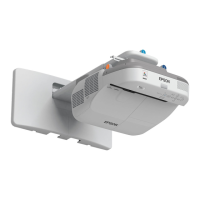
Epson PowerLite 570 / 575W / 580 / 585W
1
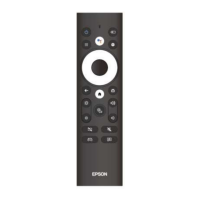
Remote Control Operation
The remote control lets you control the projector from almost anywhere in the room, up to 19.7 feet (6 m)
away. You can point it at the screen or board, or the front or back of the projector.
Make sure that you aim the remote control at the projector's receivers within the angles listed here.
1 19.7 feet (6 m)
2 ± 30º
3 ± 55º
4 ± 60º
5 ± 75º
6 ± 15º
Note: Avoid using the remote control in conditions with bright fluorescent lights or in direct sunlight, or
the projector may not respond to commands. If you will not use the remote control for a long time,
remove the batteries.
Using the Remote Control as a Wireless Mouse
1. Connect the projector to a computer using the projector's USB-B, Computer, or HDMI port to
display video.
2. If you connected your computer to the Computer or HDMI port, also connect a USB cable to the
projector's USB-B port and to a USB port on your computer (for wireless mouse support).
3. Start your presentation.
You can use the projector's remote control as a wireless mouse so you can control projection at a
distance from the computer.

 Need help?
 General

 To Next Page