33
Solomon
short.bk Rev. C
A5 size KAUL.FM
10/30/98 Pass 3
R
Proof Sign-off:
Y.Yano _______
N.Nomoto _______
K.Norum _______
To replace an ink cartridge using the printer’s control panel,
follow these steps.
1. Make sure the printer is on. The
P
power light should be on,
but not flashing. (Determine which cartridge needs to be
replaced as indicated by the
B
black and
A
color ink out light.)
2. Lower the output tray at the front of the printer, then open
the printer cover.
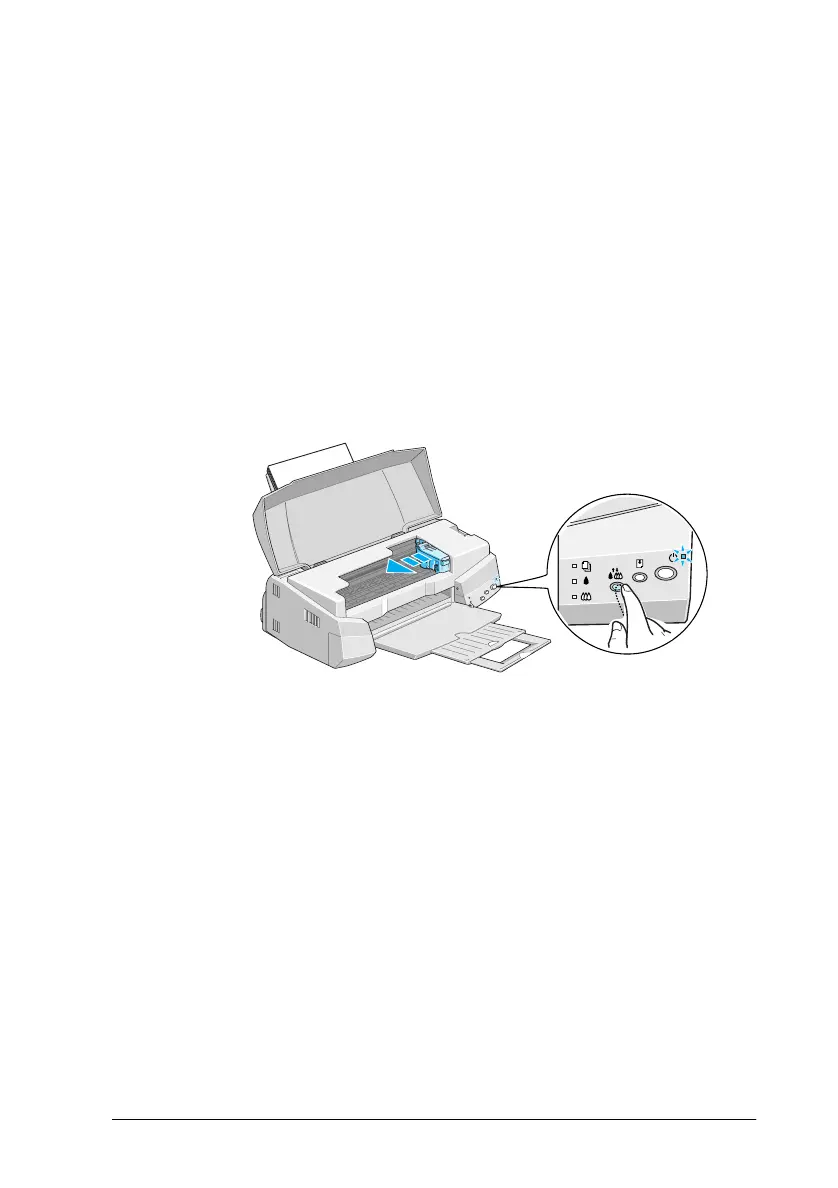
3. Hold down the
R
cleaning button for three seconds until the
print head moves left slightly to the cartridge replacement
position and the
P
power light begins flashing.
c
Caution:
Do not move the print head by hand. Always use the
R
cleaning button to move it. Otherwise you may damage the
printer.
Note:
If you press the
R
cleaning button for three seconds when the
B
and
A
ink out lights are off, the printer starts cleaning the print
head.



 To Next Page