Setting Up the Cabinet 13
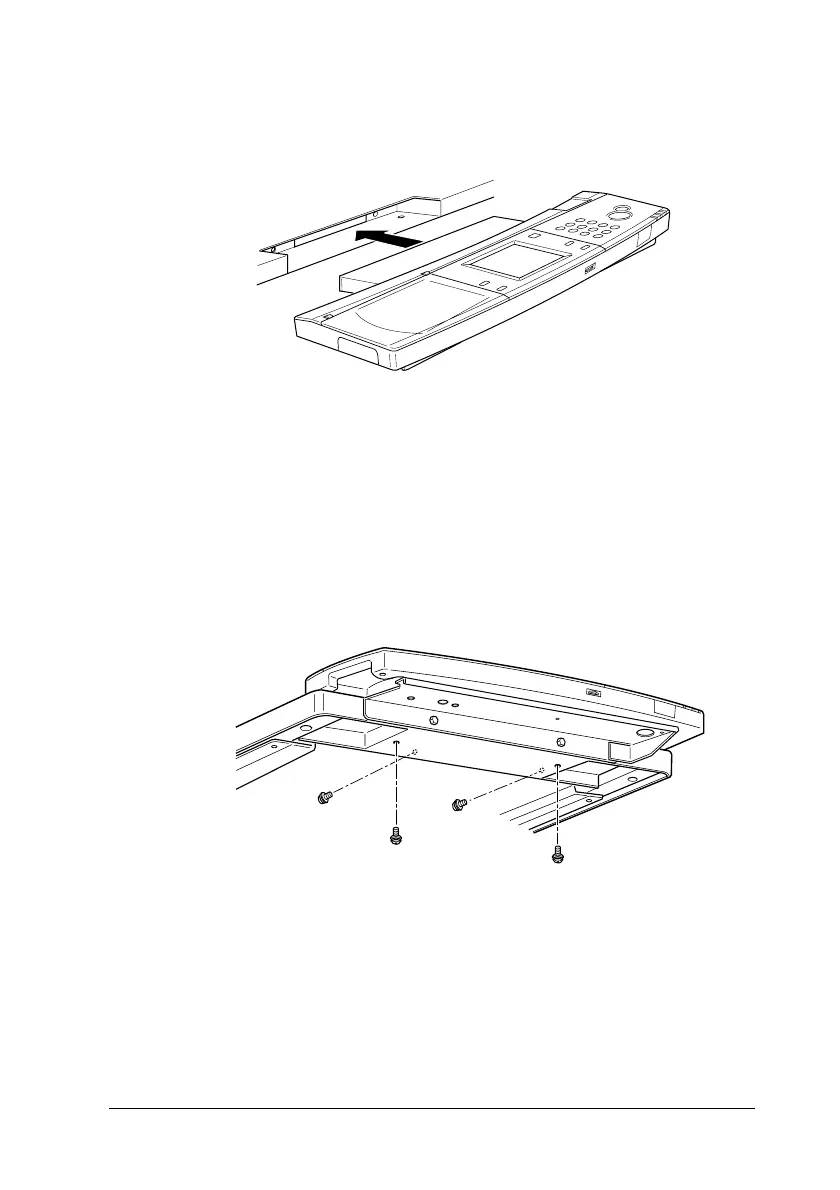
3. Insert the control panel shelf straight into the opening on the
front of the cabinet’s top panel.
Note:
If you do not plan to attach the control panel to the cabinet, attach
the panel cover included in the cabinet box to the opening on the
cabinet’s top panel.
4. Secure the control panel shelf with the screws included with
the cabinet.



 To Next Page