14 Setting Up the Scanner
Setting Up the Scanner
To prepare the scanner for use with the copy station, you need to
install the scanner interface board and place the scanner onto the
cabinet, as explained below.
1. Unpack and set up the scanner as explained in the scanner’s
Setup Guide.
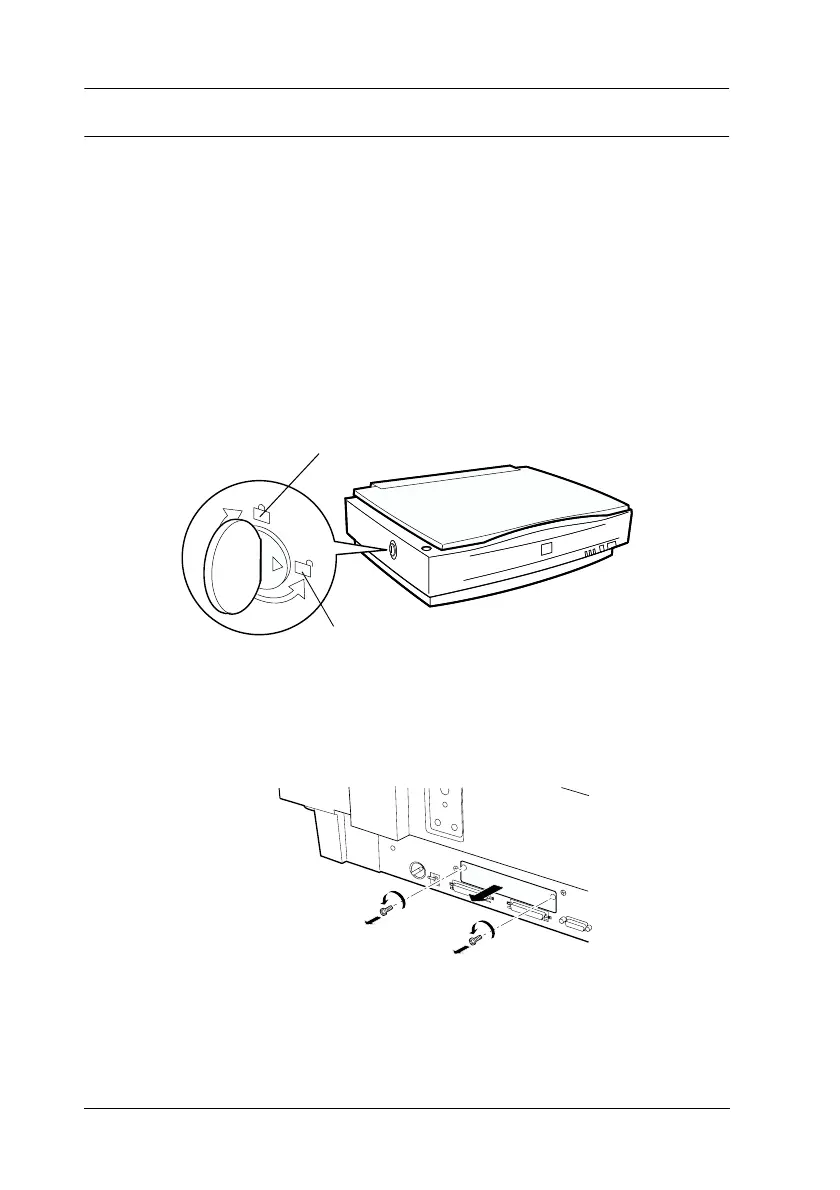
2. Turn the transportation lock to the unlocked position using a
coin or small disc as shown below.
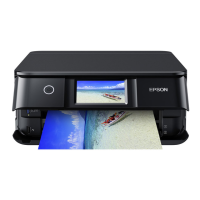
3. Use a cross-head screwdriver to remove the two screws
securing the shield plate to the optional interface slot; then
remove the plate.
Note:
Keep the screws and the shield plate in a safe place. You will need to
reattach the plate if you remove the interface board later.
oc
Unlock



 To Next Page