Setting Up the Scanner 15
c
Caution:
Static electricity can damage electronic components.
Discharge static electricity by touching the metal frame of
your scanner before handling the interface board.
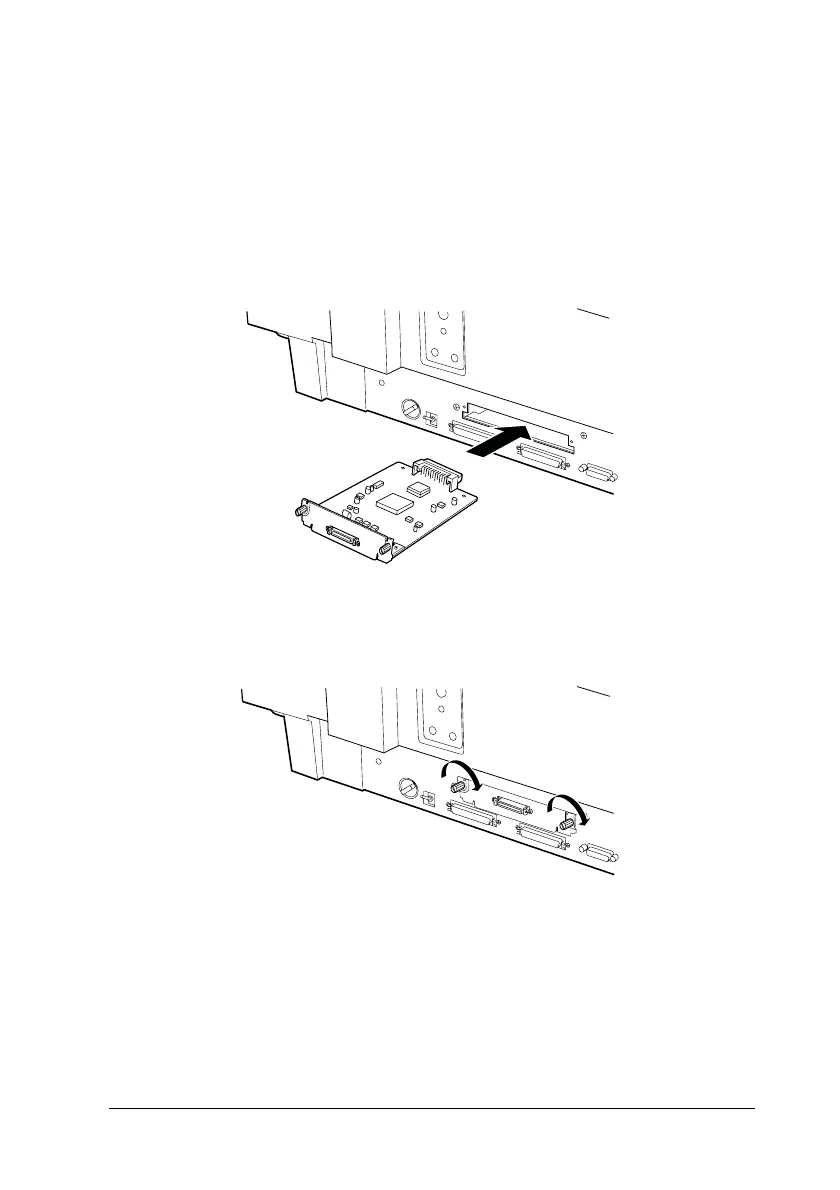
4. Insert the interface board along the side guide rails into the
expansion slot in the optional interface slot.
5. Secure the board with the retaining screws.



 To Next Page