20 Setting Up the Printer
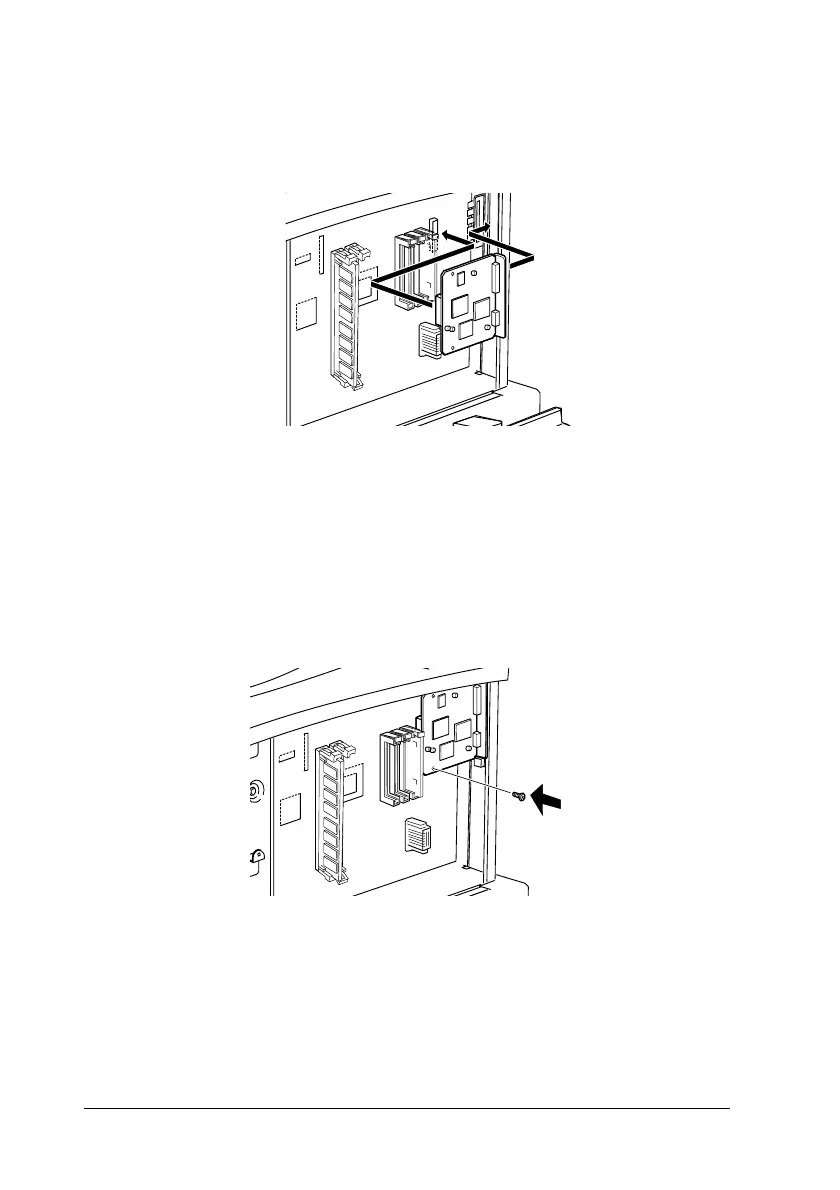
8. Insert the interface connectors through the slot at the back of
the printer, then press the interface board firmly onto the
socket.
c
Caution:
Do not touch the surface of the printer interface board. Be
sure to hold it at the edges.
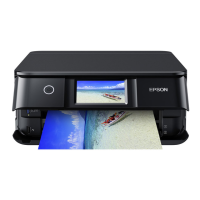
9. Secure the interface board with the screw included with the
copy station accessories.
Note:
Use a magnetic cross-head screwdriver to prevent the screw from
dropping inside the printer.



 To Next Page