Setting Up the Copy Station 27
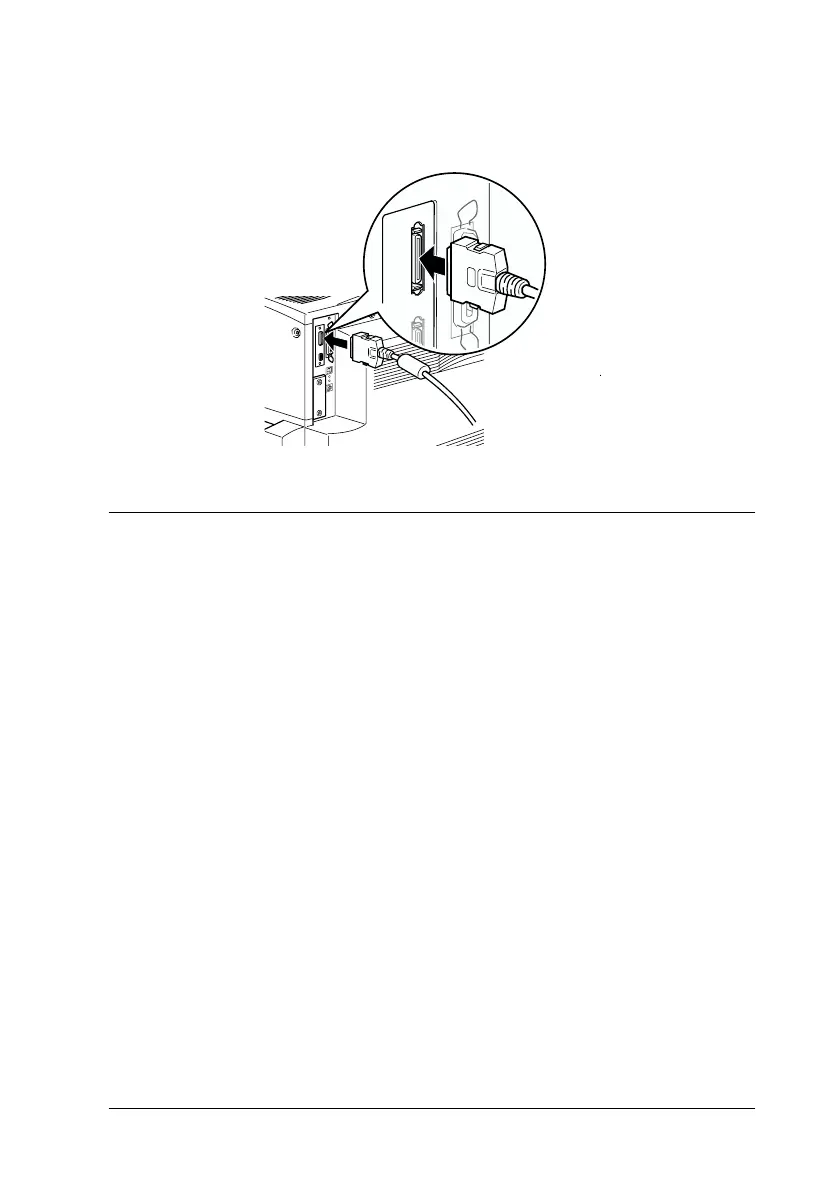
4. Plug the other end of the cable into the connector on the
printer.
Plugging in the Printer and Scanner
The printer and scanner power is supplied through separate
power co rds. Take not e of the Warnings and Cau tions below, then
follow the steps in this section to plug in the printer and the
scanner.
w
Warning:
❏ Use only the power cords that come with the printer and
scanner. Using other power cords could result in fire or
electric shock.
❏ Do not use multi-plug adapters or extension cords, or
auxiliary power from a computer. Using such power sources
could result in fire or electric shock.
❏ Do not allow dust to build up on the plug or the outlet. Doing
so in a damp environment could result in fire or electric shock.
❏ Never touch a power plug with wet hands. Doing so could
result in electric shock.



 To Next Page