Wireless Network Installation 11
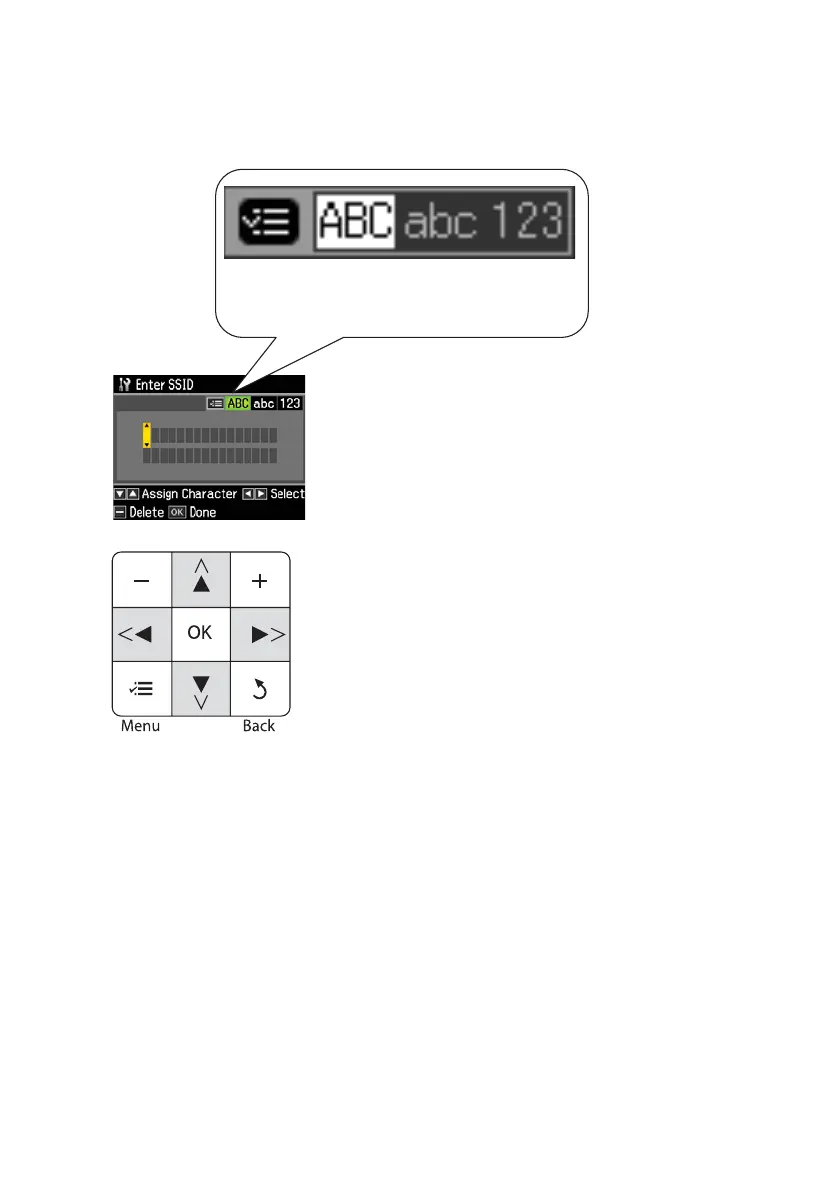
9. Use the arrow buttons on the printer’s control panel to enter your wireless
network name (SSID). Press the
x Menu button to switch between
uppercase, lowercase, or numeric/special characters.
Important:
Network names are case-sensitive. Be sure to enter upper- or lowercase letters as
necessary.
■ Press x Menu to switch between uppercase (ABC), lowercase (abc), or
numeric/special (
123) characters.
■ Press u or d until you see the character you want.
■ Press l or r to move the cursor.
■ Press – to delete a character.
10. When you’re done entering your wireless network name, press
OK.
Indicates current selection. Press the x Menu
button to switch between uppercase, lowercase,
or numeric/special characters.
From the printer’s control panel:
Press u or d to select a character.
Press l or r to move the cursor.
Press – to delete a character.
Press OK when done.



 To Next Page
 Loading...









