30
Chapter 2 Setup
Securing the Printer to the Installation Surface
For vertical installation, use of the fixing tape is recommended to secure the printer to the installation surface.
1
Lay the printer on its side.
2
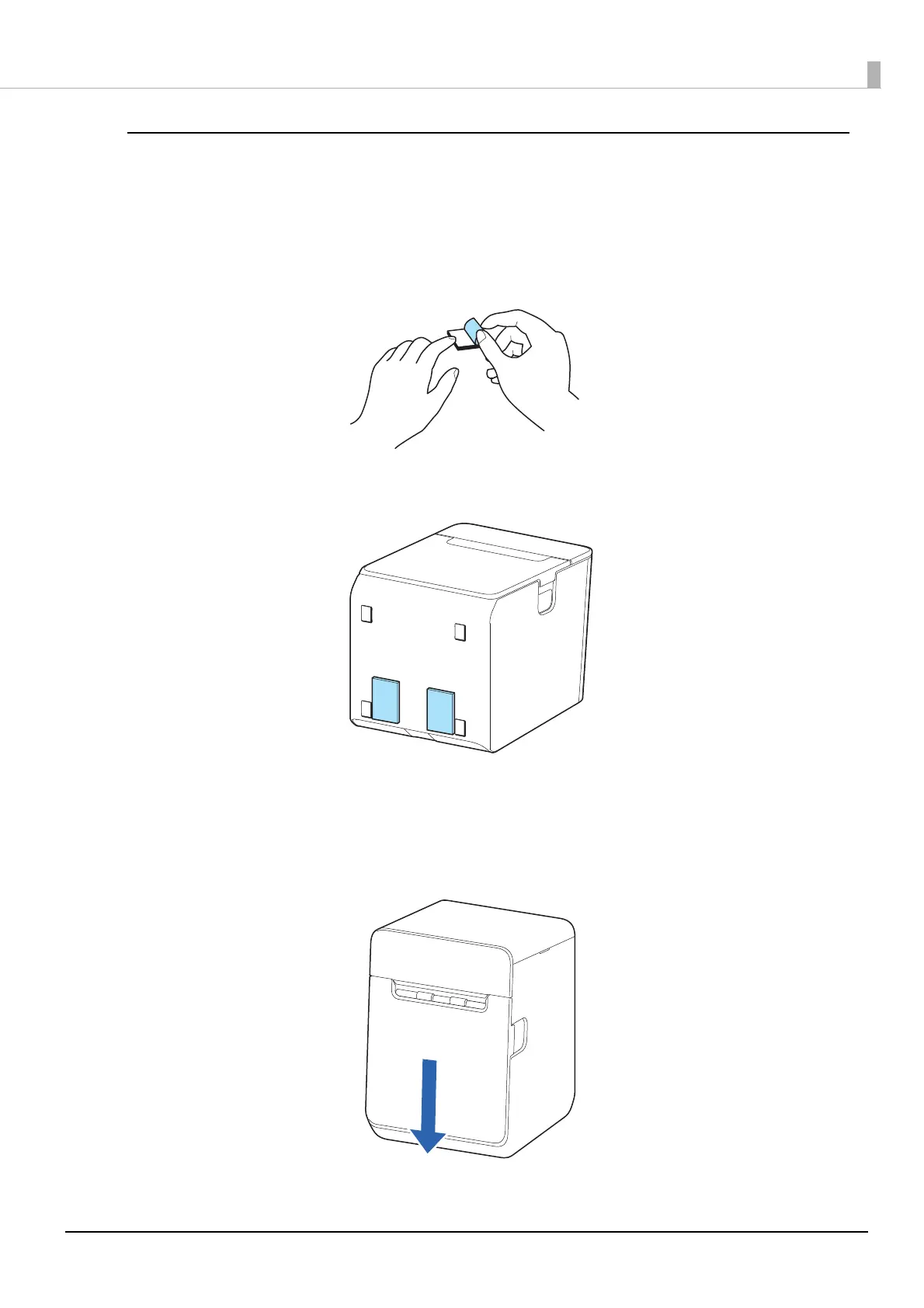
Remove the release paper from one side of the fixing tape.
3
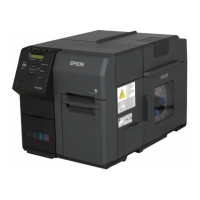
Attach the fixing tape to the two positions.
4
Remove the other release paper from the fixing tape.
5
Place the printer on the installation surface, and then hold the printer down to secure
it.




 To Next Page