74
Chapter 3 Handling
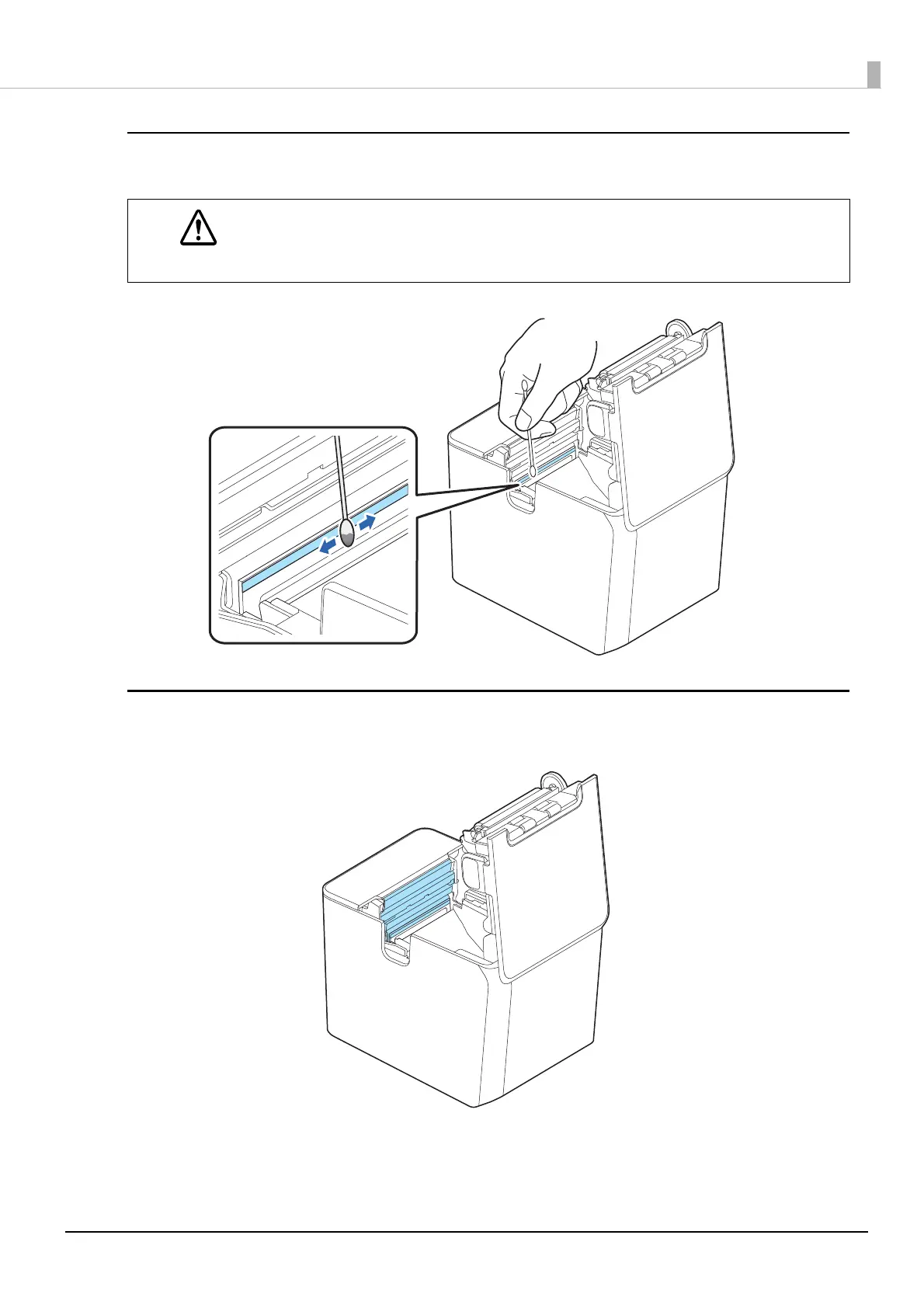
Thermal Head
Clean the thermal head with a cotton swab moistened with an alcohol solvent (ethanol or IPA).
Paper Exit Area
Wipe off paper dust or glue with a slightly damp cloth.
CAUTION
• After printing, the thermal head and its surroundings can be very hot. Be careful not to
touch it and to let it cool before you clean it.
• Do not damage the thermal head by touching it with your fingers or any hard object.




 To Next Page