204
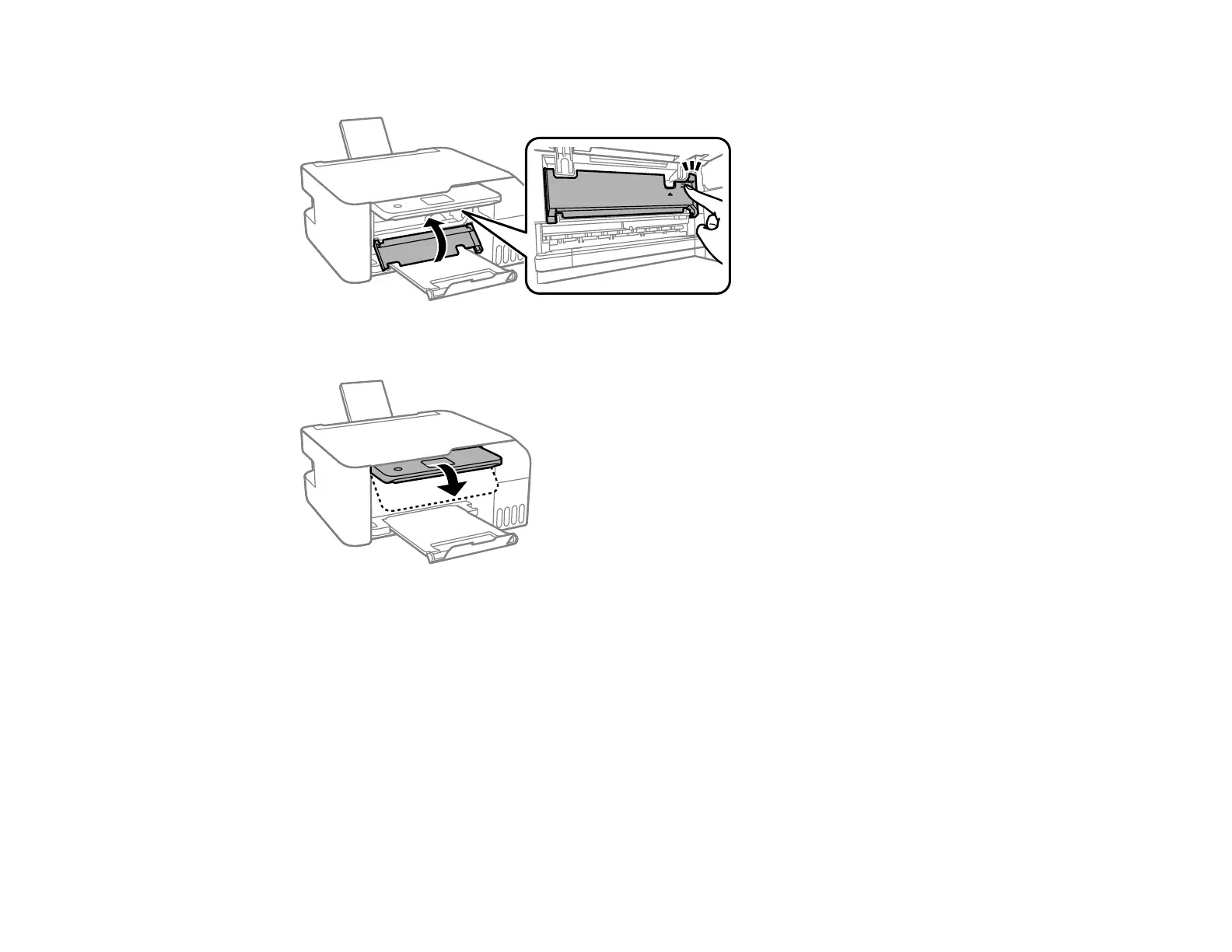
8. Close the inner cover.
9. Lower the control panel.
10. Follow the prompts on the LCD screen to clear any error messages.
Parent topic: Solving Paper Problems
Related tasks
Cancelling Printing Using a Product Button
Loading Paper in the Rear Paper Feeder
Paper Ejection Problems
If you have problems with paper ejecting properly, try these solutions:
• If paper does not eject fully, you may have set the wrong paper size. Cancel printing to eject the paper.
Select the correct paper size when you reprint.











 To Next Page