EasyManua.ls Logo

Epson GP-C831 - User Manual

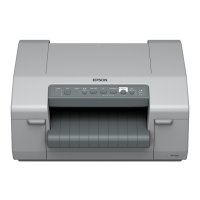
Epson GP-C831
16 pages
Print Icon
To Next Page IconTo Next Page
Loading...
HVP Plug-in Module
User's Guide
GP-C830/831/832
Describes features for the product.
Describes how to set up the product.
Describes how to install the product.
Describes information about the product.
M00089000
Rev. A
Product Overview
Installation
Set up
Product information

Other manuals for Epson GP-C831

Questions and Answers

  • T
    Tiffany Hanson MDSep 10, 2025
    What to do if the holes on the sides of the paper are misaligned in Epson Printer?
    • S
      Scott ShawSep 12, 2025
      Check that the holes on the sides of the paper are aligned with each other. Also, make sure the sprocket units are locked and their covers are closed.
  • N
    nleSep 13, 2025
    Why communication error occurs when multiple users are logged in on Epson GP-C831?
    • C
      Chelsea Woods MDSep 13, 2025
      On a Windows 8/7/Vista/XP system with multiple users, a communication error may occur when switching to a new user and starting a new print job while the print job for the previous user is still printing. Make sure that the print job for the first user is complete and the user is logged off before switching to a new user and starting a new print job.
  • J
    Joseph MillerSep 15, 2025
    What to do if fatal error has occurred in Epson GP-C831?
    • A
      Aaron JonesSep 15, 2025
      Turn off the printer and turn it on again. If the problem persists, check for a paper jam. If there is no jam, contact your dealer or a qualified service person.

Epson GP-C831 Specifications

General IconGeneral
BrandEpson
ModelGP-C831
CategoryPrinter
LanguageEnglish

Related product manuals