Read these instructions before using your product.
User’s Guide
Warning:
stops
1.
2.
1. Press
2. Press
3. Press
press
4. Press
press
.
Press
Press .
1. Press
2.
Press .
Note:
you
not
your label.
1. Press
available
2. Press
1. Press
2. Press
1. Press
2. Press
3. Press
Note:
press
1. Press
2. Press
3. Press
1. Press
where
press
2.
copies.
+
1. Press
2. Press
press
Note:
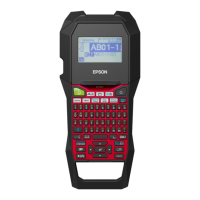
Button names and functions
1
2
3
4
5
6
7
8
9
11
12
13
14
15
16
17
18
19
20
21
10
1. Power
2. Font
3. Font size
4. Font style
5. Settings
6. Character keys
7. Shift key
8. Caps lock
9. Accent
10. Space
11. Shift key
12. Select/Enter
13. Punctuation
14. Symbols
15. Delete ( + deletes all text)
16. Preview
17. Print copies
18. Cursor keys ( + , + goes to previous or
next label)
19. Print ( + feeds the tape)
20. Cut button
21. Display
Turning the power off
Press to turn off the power. If using an AC adapter,
disconnect it from the wall outlet and the product. If
batteries are inserted, remove them only if the product
will not be used for a long period of time.
Display indicators
Indicators on the display show whether or not settings
are enabled.
1. Font size
2. Font width
3. Frame
4. Font style
5. Vertical text
6. Battery level
7. Cursor (blinks to indicate current position)
8. Line number (appears when multiple lines exist)
Note: You can print up to two lines of text.
9. Accent mark options
10. Upper/lower case
11. Label number (you can save up to 30 labels)
CPD-34888
Display settings
You can adjust the following display settings.
Contrast: Adjusts the density of the fonts on the display.
(Value: -5 to +5)
Language: Changes the language of the settings and
messages on the display.
inch:cm: Selects the unit of measurement.
To adjust display settings, follow the steps below:
1. Press to turn on the product.
2. Press + .
3. Press or to highlight a setting, then
press to select it.
4. Press or to select setting options, then
press .
.
Setup
This product operates with batteries (not included) or
with an AC adapter (not included).
Inserting batteries
1. Remove the rear cover.
2. Insert 6 AAA alkaline batteries.
Note: If you need to install a tape cartridge, see “Inserting
a tape cartridge” below.
3. Replace the cover and snap it into place.
Optional AC adapter (APT0615Z1-1)
Warning: Make sure to use AC adapter APT0615Z1-1 or
damage may occur.
1. Plug one end of the AC adapter into the product.
2. Plug the other end of the AC adapter into the wall
outlet.
Inserting a tape cartridge
1. Remove any slack from the ink ribbon.
2. Remove the rear cover, if necessary.
3. Insert the tape cartridge and press it down firmly until
it snaps into place. If there is excess tape, feed the end
of the tape through the tape guide slot.
4. Replace the cover and snap it into place.
Preparing the tape
After inserting a tape cartridge, make sure to feed
some tape through the tape guide slot to position it
for printing.
1. Press to turn on the product.
2. Press + .
3. Press the Cut button to cut the tape.



 To Next Page


 General