B Change input method button
Each time you press the button, the keyboard layout
changes as shown in the illustration.
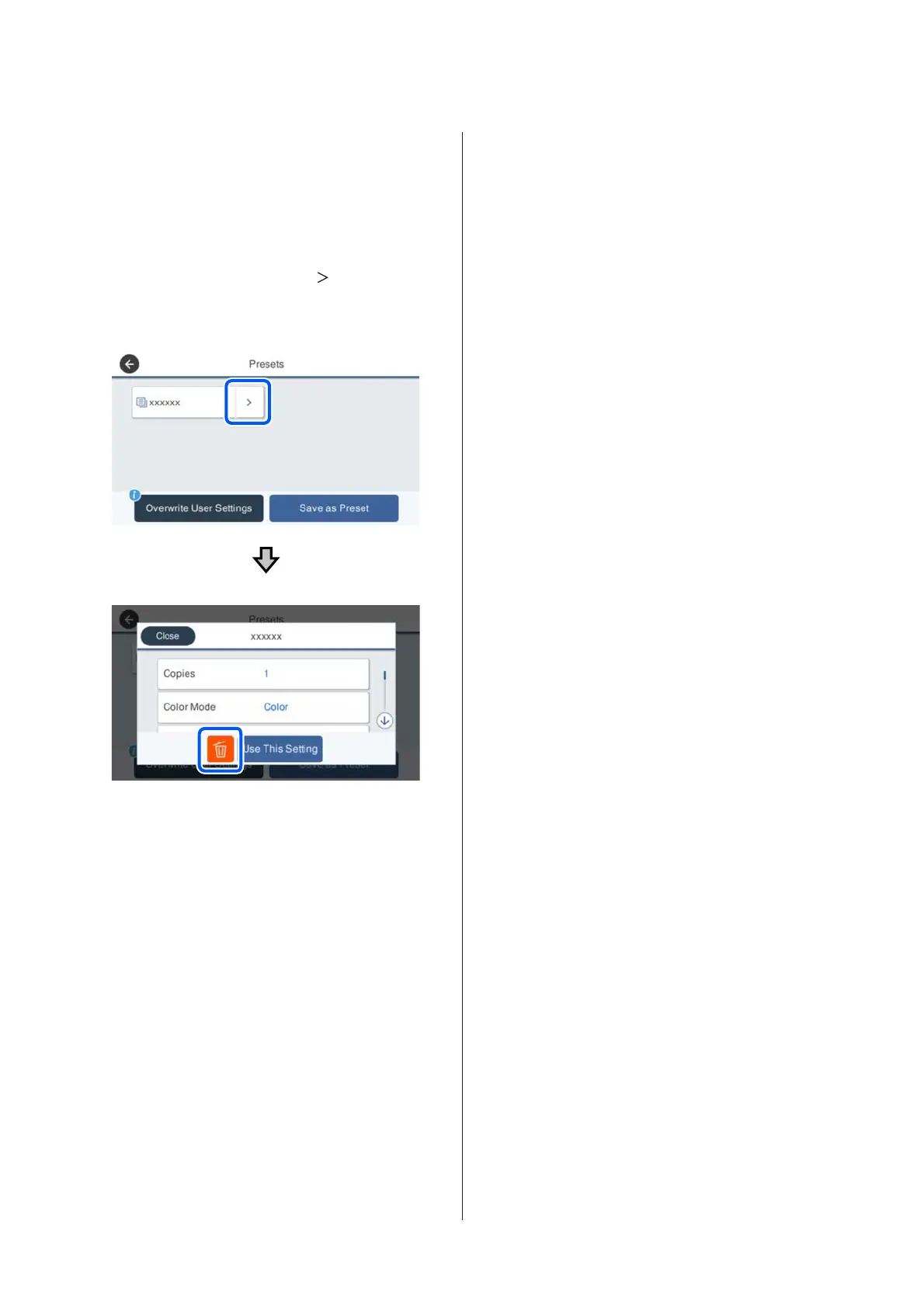
Deleting a saved preset
Press the Presets button, press the " " area on the right
of the Presets, and then press the + (trash) button on the
next screen to delete the preset.
When restoring the initial values for Copy/Scan to the
manufacturer's settings
Select General Settings - System Administration -
Restore Default Settings, and then select Copy
Settings or Scan Settings.
This procedure does not delete your saved presets.
SC-T5400 Series/SC-T5400M Series/SC-T3400 Series/SC-T3400N Series User's Guide
Introduction
18


 To Next Page
 Loading...