D
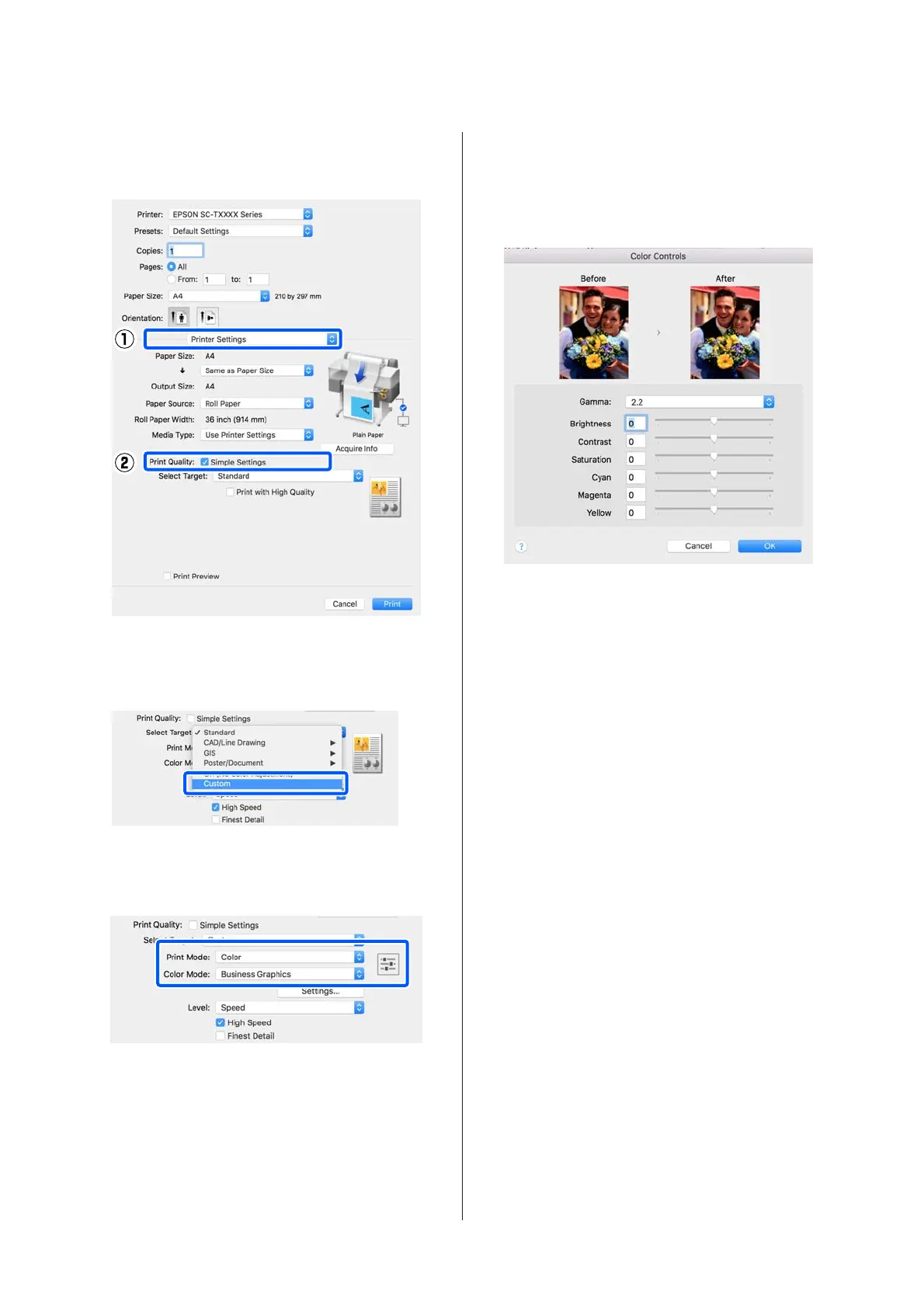
Select Printer Settings from the list and then
clear the Simple Settings check box in the Print
Quality area.
E
Select the print target. If you want to select the
color correction method yourself, select Custom
at the very bottom of the list.
F
When Custom is selected for the print target,
select the color and color correction method
settings.
G
If necessary, click Settings and then adjust items
such as the Gamma, Brightness, Contrast,
Saturation, and color balance.
See the printer driver help for more details on
each item.
H
Check other settings, and then start printing.
SC-T5400 Series/SC-T5400M Series/SC-T3400 Series/SC-T3400N Series User's Guide
Printing with the Printer Driver from Your Computer
79


 To Next Page
 Loading...