Mounting the Second Paper Roll | 17
Mounting the Second Paper Roll
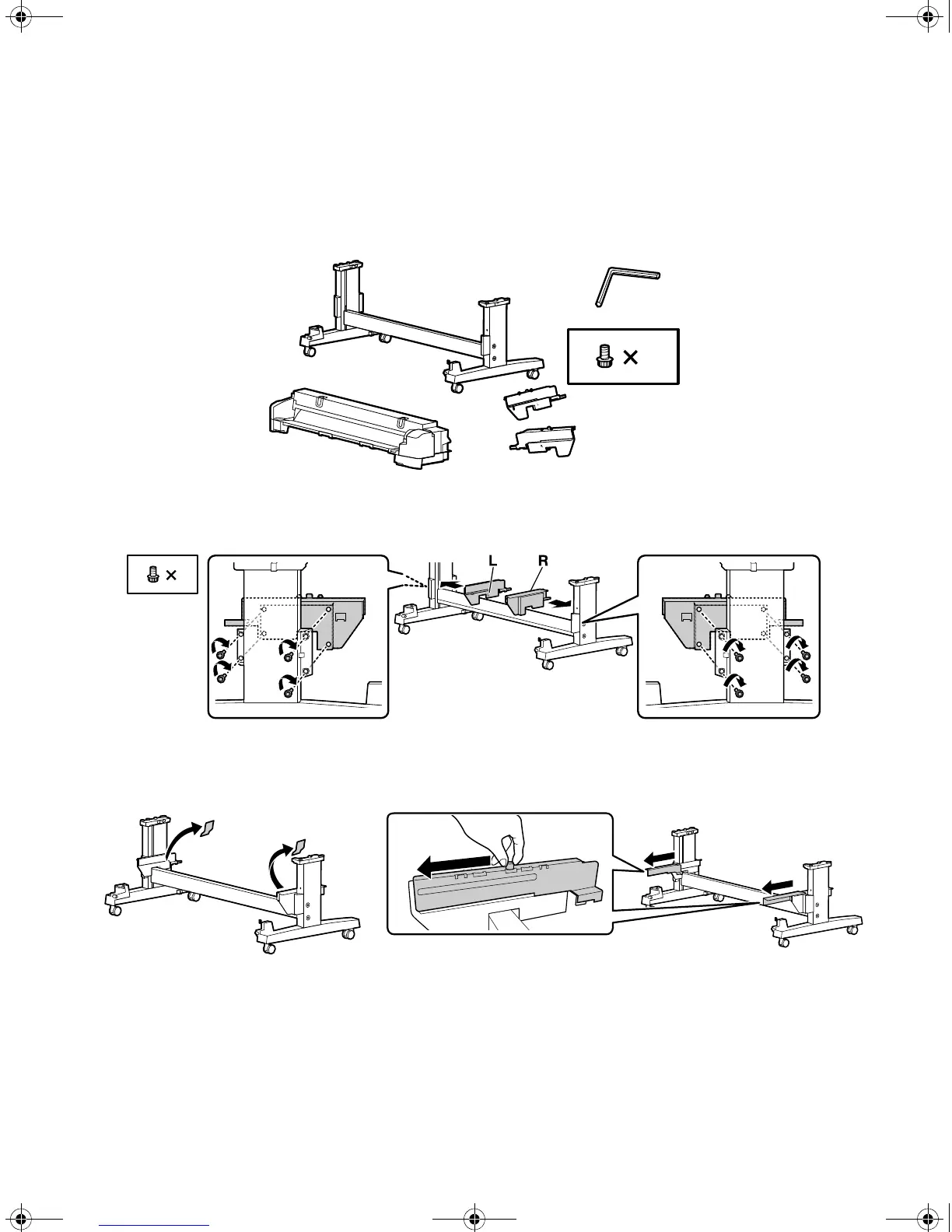
1. Unpack the roll unit and make sure you have all of these items.
2. Secure the roll supports to the legs of the stand using four bolts per support.
3. Remove the tape from the mounting brackets and extend the left and right rail until you hear a click.
B
12
B
8
T-Series_Setup_Guide_S.book Page 17 Tuesday, September 16, 2014 2:53 PM



 To Next Page
 Loading...









